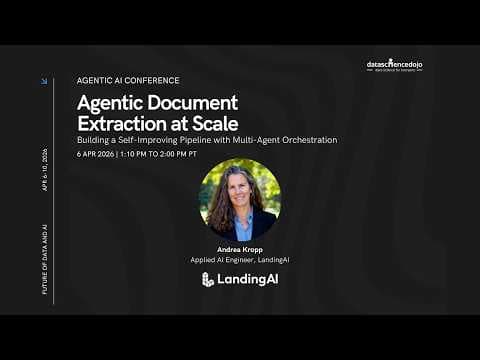
Agentic Document Extraction від Landing AI: самовдосконалення пайплайнів з оркестрацією мультиагентів
Landing AI представила agentic document extraction — систему, розроблену для обробки реальних «брудних» документів, що використовує спеціалізовані моделі Document Pre-trained Transformers (DPT). Система забезпечує самовдосконалення пайплайнів через оркестрацію мультиагентів, підвищуючи точність, можливість аудиту та автономність у великих масштабах.
Ключові тези
- Agentic document extraction перетворює документи на точні структуровані дані з повною можливістю аудиту та відстеження.
- Система використовує Document Pre-trained Transformers (DPT), навчені спеціально на документах, пропонуючи можливості, що виходять за рамки традиційного OCR.
- Пайплайн самовдосконалення з оркестрацією мультиагентів ітерує схеми, доки не буде досягнуто 95% точності, використовуючи API для парсингу, побудови схем та вилучення даних.
Зниження витрат на обробку документів на 30-50% за рахунок автоматизації • Підвищення точності вилучення даних до 95% і вище • Можливість швидкого масштабування обробки документів без збільшення штату
Самостійне покращення схеми вимагає наявності «золотого набору» даних для оцінки. Без нього система не зможе визначити, чи правильно вилучаються дані.
Опис відео▼
Well, happy Monday everyone. Um, I'm Andrea Crop from Landing AI. I'm excited to talk to you today about agentic document extraction at scale. Um, I am an applied AI practitioner. So, today we're going to be talking about a specific application of Agentic AI in the document space. And in addition to sharing some of the technologies that landing AI has developed, I'm also going to show you how you can create a self-improving pipeline um using some multi- aent orchestration. So um I'm not going to claim that I am the expert in the pipelines or the multi- aent piece. I see that there there are some amazing speakers um on the rest of the agenda that will cover those topics. But I do want to um teach you a little bit about the document space and uh how to integrate that with existing pipelines. So um before I jump into it, um quick thanks to the data science dojo team. You're putting on an amazing event. Um there is so much great content and we're really pleased to be back for a second year. So uh let's go ahead and get into it. Um so as I go through uh the talk today um I do want to encourage you to maybe not follow along in real time but definitely create an account and um test some things out in the playground afterwards. So um special offer um create an account with us in the US or the EU region. There's no credit card required. Um there's enough credits to do um quite a few hundred pages. Um, so I've got this QR code on a couple of my slides and I'll flash it up in between. Um, I'm also mentioned that um, I am joined by my team, uh, Ron, Bianca, Sichu, and Ava. You can find them in the chat in the Q&A area, and so they'll be handling your questions while I'm talking, and they can also get you hooked up with that, um, QR code or that link. So, um, just really briefly about me. One, I talk really fast. Um that comes from several years in management consulting uh leading technical teams now doing technology sales. Um I am entirely self-taught as a data scientist and practitioner. I originally studied chemistry in graduate school worked with lasers. Now I work with data. Um and my hobbies are tennis and board games. Um I live in Washington State. So if you're ever in the area we can connect for a game. So um I'm going to organize my talk actually around the title um of the event right so agentic document extraction at scale building a self-improving pipeline with multi- aent orchestration. Um so first we're going to talk about agentic document extraction. Um so that is actually our product name but it's also a very descriptive name um of what we do. So we process documents and we do want to help you do this um at scale in production. Right? So the last group of panelists was just talking about the difference between research and a science experiment and then making something repeatable and scalable and not having to get people out of bed with one emergencies. Um and then we want to take some of those concepts and figure out how can we make this even faster with this kind of self-improving pipeline multi- aent orchestration. So um as we kind of gradually reveal all these pieces hopefully it'll really come together at the end. So um part one u what is agentic document extraction? So um I'm going to introduce um the technology the product because we're going to you're going to need that information to then think about your document processing pipeline and how can agents operate on that pipeline. So a couple key takeaways for this section. Um so these are APIs that convert documents into actu accurate structured data. Um everything is going to be fully auditable and traceable. Um it is agentic by design that's even in the name. Uh works on all documents capabilities far beyond traditional OCR and very easy to integrate. So hopefully um if I do my job well those will be kind of the key takeaways. So, let's pause here and think about the world of documents. Like, oh my gosh, the world still runs on paper. Um, there are photographs of paper. There are scans and faxes of paper. There are all sorts of crazy document layouts. Um, there are handwritten notes. There are multiple languages on the same page. Um, so real world documents um are incredibly incredibly messy. So what we wanted to uh what we really set out to do was to create a system that is made for these real world documents, right? We're we're almost starting with like the edge cases first. So can it work on lots of different input types? Um can we deal with handwriting and scans and photographs of documents? Um can we equally support character-based languages, you know, as well as we support English? Um, can we understand lots of embedded charts and diagrams and kind of go past a bar chart or a pie chart to get into some of these complex scientific charts? Um, can we understand like circles and handwriting and signatures? Um, so everything we're going to talk about today is designed for this realworld messiness of documents. And what we've created at Landing AI is a proprietary set of models that we call the DPT family. So these are document pre-trained transformers. So um if you're at an Aentic AI conference, you're probably familiar with transformer models. Um but this is specifically trained only on documents. Um and it offers some really unique agent capabilities which you'll see once we kind of get into some of the demos. So, um enhanced layout detection, chunk ontologies, figure captioning, um really detailed table captioning. Um this is all possible through um some proprietary technology. Um and this is really the direction that our founder Andrew Ing um thinks the world is headed. So, um Dr. Ing is our founder, still serves as our executive chairman, and he gave a great interview with Forbes um at the end of last year where he says that we're past the era of one-sizefits-all models. So um he really believes that these kind of purpose-built models to bring specialized intelligence um is really the wave of of the future for the next couple years. So this DPT model where D stands for document um is one of many probably purposebuilt models that you're going to encounter in the next few years. And um AD DPT that's a lot of acronyms. So aentic document extraction document pre-trained transformer. Um it's really fundamentally different from OCR. So in OCR the C and the R stand for character recognition. Um and if you just look at the paper from um OCR like you realize that what's happening under the hood here is actually like the recognition of shapes of letters right um incredibly difficult problem and kudos to the people who worked on it you know in the early 2000s. Um but this is fundamentally um you know in this agentic era we no longer have to focus on kind of this character recognition of letters. Um and what we're going to talk about today is also fundamentally different from vision language models. So um I threw in this slide because a lot of people I talked to are really familiar with um large language models, right? So you've got some sort of text input that gets tokenized, gets sent to an LLM, and there's some sort of text output. Um, a vision language model is actually taking two sets of inputs. So there might be an an input image like, you know, here's a scan of a receipt, right? And then there's a text input that says, you know, what is the total on this receipt or what are all of the items purchased? And that visual input and that text input are actually going through different pathways. They both need to be tokenized before combining them for the LLM and then hopefully answering the question like the total is $10.91. Right? So the vision language model approach um is powerful but still has a couple key drawbacks when it comes to documents. So they do tend to hallucinate when visual cues are missing and ambiguous. um they can't tell you where in the document um it they found the answer. So they can't really ground that $10.91 back to like the pixel location in the receipt. Um they really struggle with a lot of nested layouts and multi-page structures, right? Because they're looking at kind of one page at a time. Um and honestly to fit those input dimensions of the encoding models, they're often really like they're resized and compressed, right? they make the text so unreadable that a lot of the fine details are lost. So, um what we've what we've set out to do really is address kind of the shortcomings of OCR, address the shortcomings of the vision language models. Um and we've been able to achieve, you know, a um document extraction model that performs extremely well on this kind of doc VQA benchmark. So again, my goal with this section is really just to give you enough information to absorb what comes next. Um, but this is definitely worth checking out and uh we'll take a quick look at the benchmark in a moment. But this is a comparison against vision language models that are taking that approach of the text input and the vision input at the same time. Um, so we offer a couple different APIs for what do you want to do to your document? Do you want to parse it, split it, extract from it? Um, so parsing is really about understanding all of the content in the document and turning that into layout aware markdown. Um, splitting is taking a longer document, breaking it into pieces, and extracting focuses on key value pairs. So um, typically things um, you're going to have to parse first. You may skip the splitting step. Um, go to extract. You may not need extract if you're doing mostly rag applications. And again, like I'm a huge visual learner. I'm going quickly so we can actually get into uh some of the code in the demo. Um so couple of things that are special about the parse API. Um you're going to see um layout awareness. You're going to see cell level grounding. You're going to see like the ability to handle really complex layouts. And again, all of this is designed for um processing at scale. uh with the extract API um as of last Friday, we can now support um infinite schemas. So um you know my receipt example, you may only want to extract four to five items. But if you had a like massive like 10K report from a company and you wanted to extract 800 items, um you can now do that all in one shot. Um, and a lot of these other things I think will make more sense once you see them. So, um, two use cases that I want to highlight. I know there's a lot of data scientists and developers and builders on this call. So, anything that deals with field extraction, um, and especially if you're an organization that receives a lot of user supplied documents, you often need the ability to extract specific information from that and also be able to tie it back to the original. So, if you're um processing mortgage applications, for example, you may be asking for a pay statement and you need to extract like the gross wages or year-to-ate wages. um you may similarly need to extract from tax documents. You may ask for something like a utility bill as address verification. So um this kind of user supplied documents where they're all a little bit different and they can be damaged and they can be rotated and they can be crazy um is a great use case for uh what you're going to see here. Um and then the second major use case really is preparing documents for rag when they contain a lot more than text. So um if you are you know working in the healthc care space or um maybe in like equity analysis um there's a lot of cases for um doing more sophisticated chunking of your documents to prepare them for rag. So some of the images that you see here, you know, there are complex tables, there are flowcharts, there are infographics, there are scientific charts. Um these are often typically ignored by a lot of chunking approaches if you're using traditional OCR. But if some of the richness of the content actually exists outside of the paragraphs and it exists in these images and figures, um, you're going to be able to actually like agentically extract them and also get an explanation of that flowchart or that infographic. Um, okay. So, here's the QR code again. And, uh, now we're going to go see it. I'm going to do a quick time check. Okay, that was nice and fast. All right. Um, so at this point you see like all of the tabs that I have open and we're going to spend a lot of time here looking at some examples. Um, and then we're going to do some code as well. So this is our visual playground. Um, as I mentioned before, we are an API based service. Um, but we provide this visual playground to make it really easy for people to get started and kind of test some of their own documents. So, you already heard me talk about parse, split, and extract. Pretty much everything starts with parse. Um, and our demo document for today that we're going to start with is Mr. Demo patient and his 12page lab report. So, he's got some blood results, some kidney function, some liver function, some cholesterol. Um, and we've got a really extensive lab report that also has, you know, some patient details and the lab that ran the tests and the doctors that ordered it. So, let's go ahead and take a look at what happens with a document like this when we go to parse it. Okay. Okay. So what's happening in the background now is we're calling that DPT model. Um right now we're on DPT2. Uh we'll be releasing DPT3 sometime in 2026. Um this is a 12page document. So that's actually being parallelized. Um and you will get the result back basically when the slowest page in that set of 12 is done. At the parsing stage, we're going to get back um a markdown response of which one of the top level objects is a markdown representation of the entire document. And there we go. So at the parsing stage, we have um markdown and JSON. And let me actually start with here with the JSON output. So this first row, the markdown um is a top level object and contains all of the content on this tab. So it goes far far far over to the right contains all of the content on the markdown tab. Um and then we have individual chunks to identify the regions of the document. So let's go ahead and go back to the markdown and you'll see kind of like why people like this visual playground. It makes it really easy to zoom in on the original and then take a look at the extracted values and compare them for accuracy. So, u little bit of color coding here. So, we got a logo in red, a text chunk in green, um a QR code here in call that orange, table in blue. Right? So, this is a recognition of the chunk ontology or the chunk types. um and also the human reading order of the document all the way across the 12 pages. So starting from one and ending probably with you know over a hundred chunks here. Um this is all um responsive and interactive. So you can click on this table, you can zoom in on the values um verify accuracy, you know take a look at the next table and so on and so forth. Um so all of that happened um agentically right or sometimes I tell my friends it's kind of like automagically or autoagentically magically um but it really is um quite an impressive feat to um understand all of this document in one shot. So let's take a look at um something like the grounding information. So let's choose a value from this table that we can all easily see like this hemoglobin value of 14.4 g per deciliter. So say that we want to do key value pair extraction on this document. Uh we're going to do a lot more with building a more substantial schema across the entire document. Um but right now we're going to start with just a single field. um extract the hemoglobin. Okay. If I don't tell it to do only this value, it's going to um it's going to do a whole bunch of others as well. So, we'll see how well it follows ex instructions considering there's quite a few values to extract here. Um I could have also uploaded a schema with just a single item. Aha. Okay, we have a one item schema. So, um, hemoglobin, it's a number. And let's go ahead and run that schema. Okay. So, I already know that I'm expecting this result to come from um, table six as a chunk. Um, but table six also has individual cells. And so here with the extraction results and the table cell grounding, I'm expecting the value which I got. Um and then in the metadata, I'm actually getting back the cell reference for exactly where in the document that one value was found. So um we do have kind of notation for ordering all of the cells. So on the zeroth page, this is the ninth cell. Um and it is a unique reference value. um also highlighted over here in the original. So as I mentioned in the introduction um our long schema support now supports you know hundreds if not thousands of values that you can ask for all at once. Um so this is just a short demonstration for kind of how this works um for one field. So this reference um 09 um I should be able to find in the original JSON and indeed here is the table cell identifier um for that hemoglobin value of 14.4. So unlike a vision language model we're able to provide visual grounding for exactly where in the document this appeared. So we know that it's inside on tables u table chunk number six. I'm trying to get back to here. So it should be one 2 3 4 5 six. So here's a table. So there's a unique identifier for the table and then there's an identifier for every cell inside of that table. So we've seen some people build some really elaborate kind of human in the loop um systems here. So being able to extract particular values um show them to the user and verify accuracy. Okay. Um let's look at a couple examples and then we'll start to build on these concepts. So um in the introduction I mentioned that we can do handwriting and circles and checkboxes and other things. So here's an example of kind of a an intake form. And so we've got some handwriting, we've got some checkboxes, we've got some circles. Um so you can see like the type of response that you get back for um a figure chunk like this. So it makes it very clear to the downstream LLM like which items have been selected. And then for a document like this, you can create a more elaborate schema, right? So you can do things like taking all of these yes no questions and turning them into booleans. Um you can ask just for a list of the pre-existing conditions that are circled, you know, and it is getting those four conditions correct. Um here's another quick example of a document um which is just a two-page fax. Um and we we talked to so many facilities that were just like, "Oh my gosh, the medical world still lives on faxes. Right. So in this fact actually most of the information on this first page is not of interest. The interesting information is actually all in this one text blob. So being able to write kind of an extraction schema where you may want to pull out the study details, the report of findings and all of these values are actually just coming from this text chunk. Um I did mention kind of bad scans. Um, this is not as bad as it gets. Um, this one, you know, has clearly been scanned a few times. It's got some signatures. It's got some degradation, but it's not too bad. Um, what we do offer to detect kind of issues with the document is this confidence score. So, you saw as I toggled on the confidence score, I've got a couple regions here that were highlighted. And also this text chunk number three is indicated as having lower confidence than the others. And indeed here it's this email address. So we can zoom in on it. We can see here G Houston. And then it gets a little bit garbled um because you know the stamp is overlaying it. So this is a great example of bringing to the user's attention any sort of low confidence regions. Um, especially if this was in an amount due or in a social security number or some sort of critical field, you would want to bring that to the user's attention. Um, we get a lot of questions about handwriting in other languages. Um, also another chance to show confidence score. So, um, I threw in this kind of handwritten German document and, uh, the model's pretty confident about the extraction except for this one region, right? So, we can zoom in on that. If any of you read German, it's kind of these two words right here that it's the least confident about. Um, and that's a good chance just to make a point about language support. Um, so we do perform really well on um most character-based languages and documents with mixed languages. Um, so here's an example. It's one of those disclaimers at the end of a document. And uh I'll pause there, take a sip of water, and just let you take that in if you are a speaker of any of these languages. Okay, so uh here's what we're going to do. I said I would briefly um touch on this benchmark. So, um, what's important about this, um, DOCVQA benchmark is that we were up against a kind of all of the frontier vision language models. And the key takeaway here is that an LLM can answer 99% of the questions using only the parsed API um, response with no image access during the question answering step. So now that you've seen the parse and you've seen the markdown output, you can imagine taking that markdown as output and just asking a question about it. And so a model without actually seeing the original document actually performs better on this task. So we did publish a lot of um these cases. Um this also gives you a good sense of the variety of the documents that are in the DOCVQA benchmark. So a good example might be something like uh something like this one. So here the question is how many days were the subject JW on the baseline diet? And the answer is 40. Right? And so in order to return that answer you would first need to parse this um document. Understand that this is a table. Understand that you know JW and baseline diet the intersection here is this 40. So our approach to this is to not show a vision language model the original document rather we're taking this original document we're sending it to the document pre-trained transformer to generate that markdown and JSON output and then we're providing that along with the question. So at the point of answering the question, the model has access to this markdown which has um kind of detailed like HTML um of exactly kind of how the table is laid out. And so then when you ask a question about it, not only can it answer the question, but it can also return exactly what cell the answer came from. So hopefully that kind of connects the dots between um parsing and that benchmark. Um, so let's uh let's do one more thing and then we want to get into some uh some code and putting this into some workflows. So I'm going to start over. Um I'm going to put in three documents that are all various lab reports and we're going to create a project. So you heard me talk about um field extraction being one of the key use cases and typically if you're trying to extract you know an address from a set of utility bills or a total from a set of receipts or a you know total amount of damages from an insurance filing um all of the starting documents are going to look different right so previously we saw I think this lab report from Mr. demo patient, but another lab, you know, their format might look like this. And then another lab, their format might look like this. And if you're on the receiving end of all of these documents, what you really need is not that one hemoglobin value. What you really need is a schema that's going to work across all of these diverse document types. So, um, everything starts with parsing. So, what's happening in the background here is the parsing. So this one's a six pager. It looks like it's completed. We'll give these a moment to complete as well. And then we'll start to build up a schema using kind of agentic tools to accelerate the work of creating that schema. All right, this one's done and seven pages should be done pretty soon. So, um, okay. So, last time we were over on the extract screen, um, I had just added one document to the project and then I wrote a very specific guideline to just return one value for me. Um, but this is actually where you can prompt to generate your schema. Um, you can also use the autosuggest schema. Um, what I find with the auto suggest is that it goes extremely comprehensively now across the three documents. It's going to create probably more fields than you're actually interested in and it gives you a chance to pair them down and organize the ones that you want. It's a massive timesaver. So what's happening right now with no instructions whatsoever, it's looking across the three parse documents to understand what are the commonalities here. So um I'll tell you in advance like they all contain a hemoglobin value. Um some of the others have cholesterol and maybe another one doesn't. But it's now trying to unify and build a schema that is appropriate for all of these documents. All right. And we'll go give it a chance to load here. Grab a sip of water. All right. So, while that's happening in the background, that's actually fairly computationally intensive. Um, I'll go ahead and put put up the QR code here for a moment. Um, also put in a plug to ask your questions in the Q&A. I am not looking at the Q&A because I still have a bunch of content to cover, but I do have Ron and Sichu and Ava and um Bianca standing by to answer those questions. So, let's see if that is completed. Excellent. Okay. So, um schema v1. So, this is also going to offer version control um as you iterate on your schema. So, this was all generated automatically by looking across um these different documents. So, you can see it's nicely organized into a couple top level objects. Um again, as I warned you, it probably listed more items than you're actually interested in. Um but it's a great way to understand what's available in your documents. Um and then be able to pair down from here. So this is another thing that a vision language model um would typically never be able to do in one shot, right? So um on that benchmark question, you know, it was like how many days was JW on the diet? You can get away with asking one question, maybe like three to five questions. Um but you're not going to be able to provide a schema with hundreds of items. um and be able to extract that all with visual grounding going back to the original. So again um this is a very computationally intensive task but hopefully you already realize kind of the time savings and the potential here. All right, we'll give that a moment to work. Um let's see u while that goes ahead and extracts. Let me put in a plug for the documentation. So, all of this is public at docs.landing.ai. Uh, we've been working largely in the playground so far because it makes it much more interesting for a webinar. Um, but this is where you'll get information for API reference. And if you would prefer to interact with us via Python or TypeScript, um, those gives you that gives you three options. So, REST API, Python or TypeScript. Um, there's also some great um, quick start resources here for each of those three options to get you started with the API. So, you will need an account in the visual playground because that's where you're going to get your API key. Um, all right. And we've got our our responses here. So, we've got Mr. demo patient. That was the patient section, report section, results section. Right? So, I'll just kind of scroll through this. Um, but really a tremendous number of values extracted from one document in one shot. So, again, we've got the extractions and then we have the extraction metadata. So, this is going to give us the reference for where particular values were found. So, it looks like this lab has no fax number. Um, but we do have the doctor's name mentioned it looks like in eight different chunks. Um and so you will get that kind of multiple references um if a value is found multiple times in the document. And again this is going to connect back to the parse response the JSON over here. Every chunk has a unique identifier. Okay. Um, so now that you've now that you've seen it, um, we're going to keep go back to the slides for a moment and then we'll get into, uh, the scaling piece and then like putting this together into an agentic orchestration. So, um, couple things to note here is we do focus very much on accuracy, auditability, and autonomy at scale. again, so you don't need to get out of bed in the middle of the night. Um, we've got a couple different options for deploying this. It can be um multi-tenant cloud, which is what you've seen me using during this demo, um, or in um, Azure GCP um, AWS as a VPC. Um, and we've got all of the required kind of security compliance um, operations covered. So this is very much built um for scale sock 2 type two compliant HIPPA compliant 99% uptime uh we have options for zero data retention we work with a lot of healthcare financial services legal firms um so lots more to say I'll just refer you there to the link security at landing AI um but I think the more interesting part is this um self-improving pipeline which I've been trying to preview So let me slow down here because this is the cool part and make sure that this sinks in. So problem statement um given a set of documents and a golden eval set can you iterate the schema until 95% accuracy is achieved. So what we're going to do here is we're going to use um the parse API which you saw in the playground. We're going to use the schema builder which you also saw in the playground and extract which you saw in the playground. Um and then the rest of it is some like wrappers that I put together using cloud code right so um bullets one two and three here like absolutely production grade APIs you know Andrea's personal code it's a great starting point but it is what it is. So here's what we're going to do. Uh we're going to take a set of documents. We're going to continue to work with lab reports. Um, but now we're going to have a golden eval file. So, this is basically like what are the correct answers? So, like what hemoglobin value are we expecting? What set of units are we expecting? What patient name are we expecting? So, if we have the original documents and we have this golden eval set, can we just let the agents crank on this until they arrive at a schema that gets all the answers correct? That's what we're trying to do. So, what do we have to do? So, first we're going to send those documents to the parse API. So, you saw that happen. Um, and then I've created just a quick schema builder agent, right? So we've given this agent a specific role like you are the schema builder agent. You're going to take a look at these eval files and you're going to suggest a prompt for the schema. So that was the step where I said you know like give me only the hemoglobin value like that's me generating the prompt. Um then what we can do is we can take those parse documents we can take the schema prompt and we can make that v1 schema. Right? So you saw the V1 in the drop- down list. Then we can take that schema, apply it to the parse documents and extract the values, right? So we already know like what hemoglobin value we're expecting and what patient name we're expecting, right? Because we're going to iterate against a golden eval set here. So then we can have kind of an evaluation agent and a report generation agent that compares these extracted values to the golden set and writes a nice tidy report and says here's where it was correct, here's where it was wrong. And then what's nice about this is we can iterate through this lower right hand section. So we can send the evaluation report back to the schema writer that can generate a new schema prompt and we can iterate through these three steps again until we eventually hit the pass rate. So um in my demo I set the pass rate at like all fields need to be 95%. Um but you could set the pass rate wherever you want, right? Um so all of this code is available um on GitHub. So I published it last night after this was all working. So um on our GitHub there is an event section and data science dojo. So um don't worry about like madly scribbling this down or trying to screen record it. Um it's all here for you and you can use it yourself. So let's switch over to VS Code and uh we'll take a look at this. So here's my claude MD file. Okay. Um and this so this is the part that's up on GitHub and my team can post the link to um exactly where you can find this. So what are we going to do here? Um so we're going to go through the loop that you just saw in the slides. Uh we're going to parse all of the PDFs. uh we're going to build an initial schema and then we'll extract and we'll evaluate against the golden set. Um if all the fields are over 95% the task is done. Um if there's three iterations and there's no progress it'll escalate to the user and otherwise it will keep cranking until it has a schema that achieves success on that golden test set. So, in case it's not clear what I mean by golden test set, um it basically looks like this. So, for each of my files, um I've got, you know, six CBC lab reports. These are the actual values that I'm expecting, right? So, it does take a little bit of human effort to actually put together the golden test set, but hopefully you'll see the value of doing this once and then letting the agentic system kind of crank on it. Um, so I was very ambitious and was going to show this to you live, but then when I timed it, I realized that it was going to take more than about 20 minutes. Um, so we're going to just kind of scroll through uh work from last night. So, apologies for that. So, here are my agents. So, these are the ones that we previewed and they each have their own set of instructions. And then in the data, we have um the golden eval set. So this is the CSV file that we just saw. So uh the first thing is to um parse everything. So in the pipeline outputs we now have the results from parsing. So this is the um full JSON response right with that markdown being the first row um and then just the markdown. So the uh so the script has done all of these and the scripts are also provided for you. These are basically just taking our REST APIs and adding um a little bit of extra around them. So this parse file um is going to handle um it's got um I I set it as like six threads simultaneously because I had six documents. Um so take a look at like what's inside the parse files. Um but basically um we parse all of the documents and then we have to create the first schema. So it says here's the proposed prompt um for that first schema. So what it's doing here is actually just looking at the header files in the header row in my golden test set and saying like oh these these are the things that she wants to extract. Um and so I will ask do you approve this as a prompt to which I replied yes. And from that the system is then able to generate the first schema. So the first schema looked something like this. Um so we've got you know the patient name, we've got the age, we've got the gender. Um and notice that it's already starting to fill in this like X alternative names. So this is a particular feature of landing AI schemas that allow you to kind of enumerate like other names that this value goes by, right? So RBC count, red blood cell count, like I would not have known this. Um, but this was all automatically detected um from the markdown files and then from the golden test set. So this is our uh V1 schema. Oops. All right. So, um, so we've got the V1 schema and then it's going to apply that schema and in the pipeline outputs, it's going to um return all of the extraction responses. So, here's the extraction response for document one, document two, and so on and so forth. And then of course we have to calculate the accuracy. So because we know the values that we're expecting um the the evaluation agent and the report writer agent can then report back to me um exactly how the model did. So on the first iteration we got 95.9% accuracy. And of course this was a somewhat simplified problem for you know demonstration purposes. So, it's reporting back u my field level accuracy and it's also keeping track of any sort of like systematic issues, right? And you can immediately see that the fixes for these are going to take us in different directions. So, this is really just a data normalization issue. We've got some like asy versus unicode characters. And then over here, we're actually like picking up the incorrect value. So, we're able to do a proposed revision. So, um based on the errors, now we're suggesting these refinements to the schema. Um reply yes if I approve those. And that's going to allow us to create the second version of the schema. So, coming back to my schema files, you see there's one labeled current and then I think this was from the second iteration. So I'm going to fast forward here a little bit. Um and this is now the loop running sequentially. So here we're checking the stop conditions. We have not yet achieved the accuracy that we want. Um but on iteration number two, we've now fixed the issue with gender, which was a data normalization issue. Um but we've got some regression on these two values. So that means that the second iteration of the schema actually made things worse. So we can run the entire loop again and say you know given this error analysis um please update the schema and try it again. So what you're seeing over here in the extractions right is the history of each run um and then kind of the final current run. So, spoiler alert, um, when we get to the end here, we do eventually solve all of our problems and in our final result on the fourth iteration. We've now achieved 100% accuracy against the golden test set. So, that was um I'm a fast talker. If you've come to any of my talks, um, always an ambitious agenda. U, but this is really the part that I wanted to get to. Um because man, we talked to so many organizations with this kind of need to develop long schemas across really complex documents. And as much as I love our visual playground, um it doesn't really allow uh so um you're still kind of left spot-checking things, right? So I I love our visual playground. No knocks on it whatsoever. Um, but it makes it really difficult to um, spot check all of these values and actually know if they're correct. So, if you can take three powerful APIs, you can wrap them together with a little bit of knowledge about, you know, an agent that can write you a quick report and an agent that can kick off the next iteration here. um you can create this kind of self-improving multi- aent flow to just iterate on your documents um until the values all finally pass. So um that's what I had prepared for you today. Um I'll leave up the thank you slide for a moment. Um I'm not sure whether there's a question section here or not or if you just get a slightly longer break. Um but thank you again to Data Science Dojo for having us. Um, I hope that there were good questions. I've not been glancing at them. Um, but uh, you know where to find us and would be glad to connect with any of you on LinkedIn and uh, take a question or two if appropriate. >> So, Andrea uh, if you don't mind, I mean, we have a few minutes. So, uh, I I see uh there is uh there's a consistent theme of questions. Uh, >> yeah. >> So, maybe you can elaborate. Right. So people uh so there's a a consistent question about hey what is the use case for this uh and then something along the lines will it understand other languages and I think uh um the way I look at it is it is more of a data extraction tool or data extraction platform as opposed to you know basically you whatever data you extract you create embeddings and then you build your application on top of it. So this is more for complex document processing right? So but I will let you answer. So I think there's a few questions that I saw along these. >> Okay. Um so if people are asking what's the use case for this then I have completely failed. So oh um thought I was hoping that that would be more clear. So these are the two main use cases that we see is the field extraction and preparing documents for rag. So um most of the demonstration that I did today deals with this field extraction. So if you're receive if you're on the receiving end of documents and you need to pull out specific values um that kind of connects to the lab report demonstration that we just saw. And this will work across you know financial documents against shipping and logistics documents um really you know work against education right exam results right so there's a wide variety of use cases by industry um and then the other is kind of preparing documents for rag so um we didn't look at too many like flowcharts tables other things um but being able to pull out a description of these items so that they can be their own chunk in your retrieval apparatus um can be very powerful. And I do actually have a few use casees by industry like for me sometimes like the use cases seem obvious but I'll just flash some of these up. So in financial services there's a lot of this like you know processing of documents like when you apply for a mortgage. Um, in health care, you know, there's stuff like these lab reports or like your doctor's office receives faxes from like a previous study. Um, in retail, we see a lot of, you know, invoices and shipping and logistics and, you know, um, I don't know, inventory checks and safety checks and wide variety of things. So, um, hopefully that kind of gives you some idea of where this might be useful. >> Yeah. Yeah. And there's a like there's multiple industries and every industry multiple use cases around you know invoice processing order processing customs you name it right so the shipping uh you know bill of shipping and all of that right so there's so much medical reports and all of that right so so many use cases so there is one question um uh that someone asked here I think I I scrolled past so is there an API I available to compare data across multiple scanned documents. So you know you have an individual document that you can access but someone says hey I don't want to do all the work. Can I see for instance my medical reports my hemog hemoglobin uh level it changed across two reports. Can I compare two reports or multiple reports and see historical evolution? That's an interesting question. >> Yeah. Um, so you would need to build that logic on your own. But if you were applying the same schema, that's going to be very straightforward, right? So in in this particular example, like this was six different people, right? But this could be the same person in January, February, March, April, right? So being able to extract the information and organize it is then going to allow you to do the comparisons that you want. Thank you. And there is one question around HIPPA compliance. Uh, of course, you know, an obvious one. Um, >> yeah. >> Can you speak to that? >> Yeah. Um, so, uh, let me actually go to our security page. Um, so all of the documents you saw today, um, actually were found online. So, um, don't put your test results online unless you want them to be inadvertently used in somebody's demonstration. Um, but our our solution is entirely HIPPA compliant. So, to be HIPPA compliant, you do need the zero data retention feature turned on. Um, so with this option, the data is processed in memory and is not stored by us and it's used exclusively for the extraction process. So you do need to have um more than an individual account with us. You need to have um an organizational level account and it needs to have zero data retention and then you can uh request uh the BAA which would make the account HIPPA compliant. >> Okay, maybe one last question and then we can call it a day. >> Yeah. >> Um how scalable is the self-improving schema loop across hundreds or thousands of fields? Um, I've been trying it for a more substantial project that has about 850 fields and we have 10,000 reference golden set documents. Um, so the the concept is working just fine. You like I mean the iteration on each loop is you know kind of limited by you know my claude usage. Um but the concept has scaled up nicely to like 850 fields and like 10,000 um sample documents and it was actually like inspired by that realworld work that I kind of put together today's like scaled down demonstration but you should be able to um go up on the number of fields and up on the number of documents. >> Okay. Um maybe one last question because they may be irrelevant. I'm sorry. So how does the pricing work? I mean is it per token per request? I think I once again it scrolls very quickly. What is the uh so do we pay uh for tokens per user? Is there a built-in application ready for deployment? Uh what are the you know how does it really work? >> Yeah. Um so we run on a credit based system on um on the pay as you go. Basically one penny is one credit. Um and then everything that you do, parse, extract, develop schemas, um costs something in credits. Um all of that is public in the documentation. So I'll just show you where to find it. Um here we go. Pricing and billing. Um so this is going to take you through um credit cost for parse, credit cost for extract. So um parse is fundamentally based on the number of pages. So it's a flat three credits per page and extract is based on input and output. So slightly different credit consumption models but a credit at pay as you go is roughly a penny and then um it's all usage based and actually the usage is quite easy to see in your own account. Um, so you can see kind of what individual operations. Um, yeah. So, Ron's been doing some work while we're talking here. So, you can see like each individual operation. It also in an organizational account allows you to do chargebacks based on API keys and things like that. >> That sounds good. We do have more questions. I would encourage everyone to reach out to Andrea and the team members. Um uh you can look her up uh Andrea up on uh uh LinkedIn. Please reach out or reach out to us and we will be happy to make the introduction. Uh thank you so much Andrea. This was fun. >> Yes, it's always um it's always a pleasure to be here. So um hope the audience got something out of it and u I enjoy listening to whoever's up next. >> Thank you so much, Andrea. Oh.
Ще з цього каналу
Tutorial: Antigravity & AI Studio using Gemini APIs | Future of Data and AI | Agentic AI Conference
3 місяці тому
Tutorial: Google ADK & Cloud Run: AI Agents at Scale | Future of Data and AI | Agentic AI Conference
3 місяці тому
Rethinking Knowledge Work in the Age of AI
3 місяці тому
Tutorial: Why AI Pilots Fail: Real Customer Stories | Future of Data and AI | Agentic AI Conference
3 місяці тому