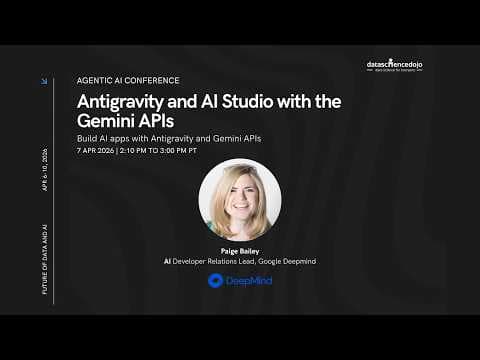
Демонстрація можливостей AI Studio та Gemini API для розробки агентів на конференції Agentic AI
Google DeepMind представила нові можливості AI Studio, включаючи Gemini 3.1, Nanobanana 2, LIA 3 та Genie 3. Це дозволяє розробникам створювати мультимодальні додатки та агентів, використовуючи можливості аналізу відео, генерації музики та автоматичного створення додатків.
Ключові тези
- AI Studio використовує Gemini 3.1 для аналізу відео з YouTube та транскрибування аудіо.
- LIIA генерує музику з текстом різними мовами, що відкриває нові можливості для креативних проєктів.
- AI Studio дозволяє створювати додатки з інтеграцією баз даних та Google Auth, спрощуючи розробку.
Швидка розробка прототипів AI-додатків за лічені години. • Інтеграція з Google Cloud забезпечує масштабованість та надійність. • Безкоштовний тарифний план дозволяє почати розробку без початкових інвестицій.
AI Studio значно спрощує розробку, але можливості кастомізації можуть бути обмежені. Для складних проєктів може знадобитися перехід до більш низькорівневих інструментів.
Опис відео▼
Yeah. So, greetings everyone. Yep. Greetings everyone. My name is Paige. I'm the engine lead for a debil team at Google DeepMind. Um, I've been doing machine learning for a really long time. Uh, and uh, there has never been a more exciting time to be either a software engineer or a data scientist or a person who's just high agency and predisposed to building things. Um, I'm really really excited to show you um, what we've been cooking up at DeepMind over the course of the last six months. um and uh and even more recently. Um so with that, I'm going to go ahead and get started. I don't think it's a secret that Google has been a little bit busy over the course of the last uh little while. Um even just in the last month and a half. Um we've had a ton of different model releases. This isn't even comprehensive. Um things like Gemini 3.1 Flash Live for real-time interactions with the model. um Gemini 3.1 Pro and Flashlight um which are uh two um respectively very large and very small models that can do a lot of really interesting multimodal tasks especially agentic multimodal tasks. Nanobanana 2 for image generation and image and text and relieved image editing. Um the embeddings 2.0 model which is really really good at putting video and audio and images and text and code all in the same embedding space. So you could say um show me everything related to cats. Um and it will show you not only videos of cats but also images also um like big books about cats and then also the sound of a cat purring um which is pretty wild. Uh LIA 3 for music generation including music with audio which we'll see in a second. Uh Genie 3 for world model building which we'll also take a look at. um our full stack runtime for AI studio which incorporates things like databases and ooth and a whole bunch of other things. Um our Gemma 4 models which are Apache 2 licensed. They come in a variety of sizes and you can use them for things um everything from multimodal understanding um to making tool calls uh locally and on device and BO3.1 light for video generation on a budget. Um, so all of these things, all of these many many like very different sorts of things um have been released over the course of the last month and a half. Um, and this might be a little bit of a refresher from last year, but I just want to keep underscoring Gemini is kind of special um in the industry in the sense that it's uniquely multimodal. Um, so it can understand video, it can understand um images and audio and text and code and all of the above all at once. Um but it can also output multiple modalities. So it can output text, it can output images and images and text interled. Um it can output audio. It can output uh sequences of images that you can stitch together into a video. It can output code. Um and that's really really special um given that most of the other models on the market are really really kind of designed to only output text or code only. Um, but it's a lot cooler to show things rather than just than just tell them. Um, so I'm I'm going to go ahead and uh I'm going to go ahead and share um AI Studio. Uh and this is my personal instance of AI Studio. So uh so if uh folks uh see anything embarrassing like please do not uh please do not laugh. Um or you can laugh just laugh silently. Um, I also want to uh uh to type in the chat the the ways that you can access AI Studio. So, you can go to ai.dev or ai.studio or aistudio.google.com. You can get started for free using just your Gmail account. Um, and you can do everything from generating API keys. So, if you open up this section on the left, um, you can uh you can generate API keys. Um, I also just want to confirm that uh that everybody can still see my screen. Is that correct? I'm going to take silence as a yes. Uh, so hopefully hopefully everybody can still see my screen. Um, the uh you can create API keys. So if you just click get API key, you can see all of them um for a given project. You can also see that I have a significant problem uh with generating API keys. Um, you can create them off to the right, um, just by clicking this button. Um, and then you can also even monitor things like your usage, um, your total number of API requests, your rate limits, um, your overall spend and the different models that you're using, um, uh, your billing. Um, and I've also turned on something called logs and data sets, which gives me insight into how people are using the, uh, using the models that I have deployed as part of the the apps on my personal website, which is uh, which we'll take a look at in a second. as well. Um, so if you've never experimented with AI Studio before, um, I'm going to show you a couple of tips and tricks, uh, and then hopefully hopefully you'll be able to, uh, to feel comfortable turning on all of the knobs and dials yourself, uh, and learning how to experiment with more and more along the way. So, as an example, um, I've selected over here on the right Gemini 3.1 flashlight preview. This is one of our tiniest models. Um so you can see that the input cost per million tokens is around a quarter. Um so you can do a lot of really good work um for just about uh for just pennies on the dollar. Um and then the output is $1.50. You can also input audio at around 50 cents per million tokens. Um and then uh you can see some of the other models that we have available as well, but let's go with Gemini 3.1 Flashlight. Um, I'm going to go ahead and add um uh some sample media. So, so you can select a video via sample media. You can select a YouTube video um and a YouTube URL. You can record audio. You can record camera footage. You can add files from drive, including things like PDF documents or uploading files. Um and uh just to show it off, I'm going to find a YouTube video and then we're going to uh analyze it in real time. Um, so, uh, an example YouTube video that I really, really love is Alan K, um, at the Computer History Museum. Um, so this, uh, the DAB book, past, present, and future. It's long video, so around uh, so around an hour and 50 minutes. Um, we're going to see if we can even put this into the context window. I've never tried this before. Um, so it looks like it it does go into the context window and I'm going to ask a question to the effect of um segment this video um into detailed chapters um and tell me um every instance that uh that Alen K references um Xerox Park uh which was the place where he worked at the time. Um, if you uh if none of y'all know, I am a massive Xerox Park nerd uh and uh love reading everything about computer history. But what's happening behind the scenes right now is this very very very very long video which is around almost 2 hours um is being bundled up um which is taking the majority of the time. it's being sent to the model for inference. Um, and then it's going to have it's going to be able to have um kind of a segmentation of chapters uh and um every instance where Alen K references Xerox Park. Um you can also see that I've selected the media resolution to be the default though you can select it to be low, medium, or high. Um, since I'm just asking for um since I'm just asking for segmentation in chapters for like the audio contents, I probably could have gone with low and we would have been able to uh to move a little bit faster. Um, you can select the thinking levels to be a little bit different. So, minimum or minimal, low, medium or high. Um, then you can also see the uh the chapters getting referenced um the Xerox Park references. So, the lessons at park, um, creative environment at park, uh, far out research, etc. Um, and then if I click get code, I have all of the code that I would need to replicate what I just did in the UI. Um, so you can see the chapters, you can see um, kind of the the prompt that I had shared with the model, the YouTube URL, um, the model that we had selected um, in Python, in Typescript, or in whatever your favorite language might be. Um, and then even more importantly, if I hover over this token count, um, and I zoom in, you can see that to analyze this 2hour almost long video was just around 33 cents, 34 cents almost. Um, which is wild. Like, and you could have asked for anything. You could have asked for a transcription. You could have asked for um, you know, all of the logos that were present within the video. You could have asked for all of the the speakers within the video. Um like timestamps for different events or different occurrences, whole bunch of stuff. Um and it ended up being around uh you know less far far less than the price of a cup of coffee. Um which is pretty wild. Um so these are some of the things that you can do within AI Studio. You can also um you can also uh just kind of speak um and have things transcribed. So, as an example, um I could uh Hi, my name is Paige Bailey. Um I'm currently presenting at um an Agentic AI conference online. Um and I'm going to uh to start speaking in a different language. Um foreign in bomb. Then I'm going to stop that. Um well, and so uh so that kind of um does the transcription not using the Gemini models. Um but I could also uh record audio. Um so let's try this again. Hi, my name is Paige Bailey. I'm currently presenting at the Agentic AI conference and I'm going to speak in a different language. Um, um add it to the prompt and then say something like transcribe in a table with timestamps all of the audio that you hear in this snippet. Um, if uh a a non-English language is being spoken, um, uh, transcribe it and translate it. Um, and then again, maybe make the thinking level high. Um, and hit run. Um, and so this is around 638 tokens. Um and it tells me uh who rides so late through the night in the wind. This is uh and this is correct. So um speaker timestamps, transcriptions, etc. Um which is quite cool. We also have a new feature within AI studio called build which allows you to create apps um just by describing uh uh describing it to Gemini. Um or you can remix apps that we have in our gallery. Um so as an example um we just recently added support for database and off. Um so so you can build apps with custom databases. Um I'm going to go ahead and go to the al the gallery though uh and see uh one of the apps that we have related to LIIA. Um, LIIA is a music generation model um that creates not just music but also audio or also lyrics um and any number of languages. So I am going to uh ask folks in the chat does anybody speak a language other than English? I'm going to need somebody to to fact check the song that we that we create. Um uh so Paige I um gone I can get by with Arabic. I'm a native in Udu which is very much like Hindi. So I can get Hindi and Uru both. >> I see Netley has French and Italian. Uh so yeah I mean >> let's do let's do Erdo and then you can tell me uh you can tell me if the the app does a good job of generating uh generating a music track. >> Okay. >> Yep. Cool. So uh so behind the scenes this is using LIIA. If we if we inspect the code for the the code for the app you can see um that in the Genai service it has kind of the um the different models that it's calling the API key and the the different model names. Um, and then, uh, if we go back to the preview, I'm going to say something like electronic, dancable, um, all about, um, the trials and tribulations of linear algebra and ASI um, uh, lyrics in Erdo. Um, and then I'm going to uh generate the song. Um, we should see it synthesizing. I'm going to go ahead uh I'm going to go ahead and share the the window. So, you won't be able to hear me, but hopefully you'll be able to hear the um you hopefully you'll be able to hear the track. matrix value agent vector as equation. This is this is hilarious. This is hilarious, right? For those I think for those who speak Hindi, they should be able to get this. So this is amazing, right? So >> awesome. >> So maybe I have a second business lined up, right? So if I if I don't succeed in data science, maybe you know >> I can the music industry. I'm telling you, like the the uh I've been using it to create I've been using it to create music tracks for my little cousins about different about different concepts and they absolutely love it. Um so so like it's you can also uh one of the the things about the the mode that um this studio example app has is that you can also do karaoke mode. So Gemini will uh hear you singing along with the song um and will automatically kind of show you the lyrics along the way. Um but it's it's really wild to see um it's really wild to see the the kinds of things that that you can create. Um and also the uh how powerful LIIA is as a model. Um and so one of the one of the things that you can do is you can remix apps. you can kind of uh create your own apps. Um, and so I'm going to go back to build. I'm going to describe an app that I would like to have created. Um, not using LIIA this time, like just an example app. Um, I really really want a database in O. Um, and for this app, I want um create an app that takes in an image of a bookshelf. Um, so you can see spines of books on the shelf. Um, I want you to use Google search to enrich the data. Um, so you know, I want things like author name, uh, title of the book, description of the book. Um, and I want it all to be stored in a database. I also want to be able to log in with Google off. So when I log in with Google off, I'm able to like save my own personal bookshelf. Um, and the app should take in this image uh and populate all of the the books um in a database which was not the clearest explanation. Um, but uh you can see the spine on the top personal database uh login with Google off etc etc. Um and we're just going to click build. I'm also going to select uh Gemini 3 flash preview which is the default. Um, and this should uh kind of immediately go to work kind of creating this app. Um, it'll take a little bit because we're going to be setting up a Firebase uh a Firebase database. We're going to be doing a whole bunch of additional background infrastructure and plumbing. Um, so I'll probably do a couple more demos while while this is cooking. Um, but if you haven't taken a look at AI Studio recently, um, I strongly suggest that you do for build. Um you can select different uh you can select different models to use. Um you can uh take a look through different versions. So as you create different implementations or edit implementations of apps, you can see them listed here. You can add secrets. Um so you can add uh secrets not just for the Gemini API key, but if you have like a superbase API key or an anthropic API key or any others, you can kind of stitch them together. Um if you just wanted to create kind of like um cron job services like you could create them through AI studio as well. Um you can create integrations so things like enabling ooth. Um and you can also link to GitHub to either public or private repos. Um and then as the model kind of creates different files it'll add them uh add them into the uh add them into the directory. You can also add files. Um, so just adding files from drive or uploading files or um sort of uh taking a picture with your camera and adding it to the prompt. Um, but it looks like uh it looks like this will be working for a little bit. Um, and it's in the business of setting up Firebase right now to um to to do my app. So, let's leave this running in the background. Um, and while it is, I'm going to go ahead and pop over to uh to Genie, which is um which is a project within Deep Mind that allows you to create and share a world. Um, so uh like what does this mean? This means that you can describe a scene, you can describe a character, um, and then you can dynamically interact with that world using the character. Um, uh, the same as you might with a character in a video game. Um, and so, so as an example, um, if I was to type in, um, maybe the world looks like, uh, I think everybody has their mind on the moon right now. um or hopefully everybody does. You know, humans are the furthest away that they've ever been um and are taking like all sorts of wonderful pictures to to share back with the rest of humanity. Um so maybe the world looks like a lunar surface um and the some of the pictures that were colorized just recently made it look like a rainbow. a lunar surface with a rainbow sheen um and uh sparkles um with a you know robots roving around it. Um and then maybe the character is uh you know something that you would not expect to see on the moon. Um, maybe it is a purple and pink um dinosaur um wearing a a bicycle or let's make it fun uh riding a bicycle and create a sketch. And so what's happening behind the scenes is that there's this model harness getting deployed of a combination of nano banana of VO um and uh it's using Gemini behind the scenes to kind of create this uh this world environment. Um and as it does um it will be generating frame by frame every single interaction that we have within the world. Um so so it looks like we've got our first implementation. So, let's create the world. Um, and uh there's no physics engine behind the scenes. It's just um the WD keys to move around the dinosaur, the space bar to make it jump, and then the arrow keys to change the perspective of the camera um along the way. So, so this is all kind of an agent harness set up um to uh to to kind of um to uh sort of see uh see the world itself. And so we've got our dinosaur riding a bicycle um like multiple dinosaurs. We've got Mars rovers, which is pretty cool. Um if I jump um you can see the dinosaur jump. Um, you can see it nudge the rovers out of the way as it as it moves towards them. Um, you can see the the change in perspective. Uh, and it looks like it is riding a bicycle. It's just we didn't we didn't quite see it off to the side. Um, and maybe it's more of a unicycle. No, it looks like a bicycle based on the shadow. Um, which is pretty cool. And then it can maneuver closer and closer towards the lunar base. Um, and again, this is just pixel by pixel, um, getting generated dynamically. Um, as I move the the little arrow keys, you can kind of see, uh, see the the new features come into action. Um, the the dinosaur doing the jumps with the space bar. Um, and then how it interacts with the environment. So, like if I if I had it walk towards that crater, it would probably fall in the crater, which is pretty wild. Um, but this is Genie 3. It's currently available um through Google uh Google's um kind of ultra plan for for AI services. Um and then hopefully the the team is thinking about creating an API longer term. Um so so that might be something that would be uh that would be worthwhile for for folks to uh to take a look at. Um I think it's really um it's really remarkable to see kind of this the breadth and the spectrum of things that these models can do um within the within the context of um within the context of uh you know being able to stitch things together um as opposed to just relying on on one model to do all of the work. And that's kind of the pro uh the promise of agentic development is being able to to couple together a lot of these processes um that can work asynchronously. Um I'm going to show you another example um of uh I'm going to show you another example of Gemini models in action. Um and then we'll take a look again at uh we'll take a look again at one of the the uh the the app that we had been generating in the other in the other window. Um but I'm going to share this tab. I'm going to go ahead and turn on Google search grounding which is here at the bottom. Um I'm going uh this model is called Gemini 3.1 flash live preview. We are not the best at naming things. Um, but it it basically gives you the ability to have a conversation with the model about anything that it sees. Um, so as an example, I could share my screen and hopefully hopefully folks will be able to hear this. If you can't, please let me know. Hey there, Gemini. Can you tell me what you see on the screen? I see a web page with a psychedelic scene inside a bubble. There's a purple dinosaur riding a bicycle, a rainbow puddle, and what looks like a moonlanding vehicle in the background. Below the bubble, it says, "Thanks for exploring." And there's a button to create a new world. Did you make this image? >> Mhm. And uh so could everybody could everybody hear that? Hopefully. >> Uh yes, we can. Paige. >> Awesome. Excellent. And then uh you can also dynamically swap. So um so uh you could say something I I believe you mentioned that folks on the call or at least a couple of folks might be able to understand Hindi. Um could you please uh could you please tell me again but could you tell me in Hindi and then also please tell me what the weather is like today in London in Hindi. Thanks for exploring a new world. And so it was able to incorporate the um what it knows about the London temperature and Google search suggestions to do the grounding. Um and then again if I click get code it gives me all of the code that I would need to use to replicate what we just did. Um so it selects the model, it has the appropriate configuration. It has the oneliner for Google search as a tool. Um and it also tells you how you might stitch together the pipeline. um which is uh which is pretty awesome. Um so so that is Gemini live. Um you can use custom functions, you can uh use some of our bakedin tools. Um you can change the media resolution. Right now it samples at one frame per second, but uh and at 258 tokens per image for each one of those frames, but you can toggle it to be 66 tokens instead. Um you can uh uh change the thinking level. So from no thinking to low to medium to high. Um though that will change the uh the model response times. And you can also select different voices as well. Um the uh the cost for this ends up being about a penny um about a penny a minute for audio only interactions. Um and it also I heard a sound which makes me think that the shelf scan um is ready to go. So, let me let me zoom over to the the app that we had created. Um, so it's asking for access to my camera. I'm going to allow it. Um, your physical library digitized in seconds. Wow. Uh, get started for free. How it works. This actually looks very pretty, like prettier than than I would uh be able to uh to do. And then so get started for free. Um I'm going to select my personal account. Um uh so it's logged in as me, which is which is kind of awesome. Um it says scan my first shelf. Uh I don't have a photo handy, but I bet you we can find one. So bookshelf um with books and visible spines. Um, going to find it real quick. Like this. This looks like a reasonable one. Um, yeah. So, I'm going to save image and then go back to our app. I'm going to upload the photo. So, it's scanning the shelf. Um, it's identifying titles and fetching descriptions. Um, and it's mentioned that it selected Gemini 3 flash down here in the footer. Um, so it should be pretty fast. And it found all of the books. Um, it gave the appropriate date for when they were cataloged. Um, and then, uh, so Dead Reckoning, that Camden Summer unnatural issue. Let's make sure that those are Yep. So, I see Dead Reckoning, An Inconvenient Woman, The Piano Tuner, etc. Um, and all of those just got added um to my bookshelf. And then if I sign out um and then sign back in um they are all still persisted, which is pretty wild. Um and kind of awesome, right? like so. And if I was to share um if I was to share this link, so I'm just going to copy the link um and I'm going to put it in the I'm going to put it in the chat um like all of y'all would also be able to go to this app um and upload pictures or take pictures of your bookshelves um sign in with Google and save them there. Um, which is amazing like like being able to to have that ability to create such a thing um in a very very short amount of time um uh that that has uh the ability to catalog books. Um my next feature request would be like give me the ability to check them out and to know who I check them out to. Um because u my friends have a tendency to run away with my favorite books for uh for a very good reason. Um but this is uh but this is what you can do with AI studio. And then you can also even click publish. Um and if you've attached your app to a cloud project um then your cloud project uh gives you a unique URL that you can uh that you can kind of have deployed on cloud run and see your consumption and utilization that way as well. Um so that is that is AI studio. Um and then in the the last uh the last little piece I want to walk through a little bit um Gemini Nano or or not Gemini Nano but uh uh but Nano Banana. So I'm going to select Nanobanana 2 which is our latest image uh generation and image editing model. Um, one of the things that I think is a little bit slept upon, um, is that, so, so as an example, you can upload, um, some of the sample media. You can change the sample media. I'm going to add this picture of a cat. Um, maybe this picture of a dog. Uh, and you can also do things uh, like reverse image search and grounding with Google search. So I'm going to do a image search of um a can of Celsius. Um so show um the cat and the dog uh are uh sitting in the remnants of an AI hackathon um in a school's computer lab. Uh maybe being a little bit less drastic uh sitting in a school's computer lab um with a multiple cans of Celsius. And if you don't know what Celsius is, please count yourself lucky. Um, but it is uh like a a drink with a whole bunch of caffeine that is notorious uh among programmers for um for it's it's kind of sort of energy giving and life force giving purposes. I think it tastes a little bit like battery acid, but uh but I am uh one of few that that feels this way. Um, but we've got this cat, we've got this dog, and so we're asking Nano Banana 2 to create an image of them in a computer lab with a couple of cans of Celsius. Um, we can see the dog and the cat with cans of Celsius around and a Python textbook um with some lab PCs. And then if we wanted to again just kind of hover over the token consumption, you can see that the total cost of this model is really really inexpensive, especially given that the original version of NanoBanana Pro was uh like 4 cents per image. So the costs have gone down pretty significantly. Um and again, if you click get code, it gives you all of the things that you would need in order to replicate what you just did um within within the UI. You can also change the different resolutions. Um, you can change the aspect ratios. Um, and then another one of the uh another one of the models that we've just released is VO3.1 Light. Um, I'm not very good at creating video prompts. So, I usually just get Gemini to create the video prompts for me. Um, so with that, I'm going to have it uh we're going to use Gemini 3.1 Flash. I'm going to say create a prompt that I can give to a video generation model um to uh create um stock footage uh for a horse ranch in Texas. Um that also doubles as uh an artisan um or like um vegan restaurant uh that is basketball themed um uh in celebration of the Warriors. So we've got Gemini uh three flash. be concise with the prompt uh and keep it a single paragraph. Um I'm going to go ahead and click run and then we'll take the output um that Gemini gives. Um, so drone shot, uh, and, uh, go back to VO3.1 Lite, which is one of our, um, you know, again, one of our latest models, uh, that, uh, gives you the ability to have movies of up to 8 seconds in duration. You can also make it kind of vertical, like a like a phone style. Um, and I'm going to hit run. We'll see how well this goes. cinematic drone shot of a sprawling Texas horse ranch at sunset. I'm going to get real homesick. The um you can also change the output resolution. Um though the default is 720p. Um we don't have 4K as an option for VO3.1 Lite. Um really the the intent is to use it as kind of a sketch so that you can get the the idea of the app that you would like to create um created cheaply and uh and very very quickly. Um so let's see how this goes. Um and it also has audio associated. So, I'm going to again go on mute and share the audio for the other um the other window. video itself. Um, but I'm going to share my entire screen. Um, and I'm going to show you uh anti-gravity and I'm going to show you our computer use capability which is basically I could say um go to ai.google.dev of and create a comprehensive um walkth through with images and text and are leaved um saved as a markdown file for a stepbystep guide um for how to create an API key. Um I'm going to go ahead and click send. Uh, and what's going to happen behind the scenes is that it's going to recognize that it wants me to go to a website. It should launch a browser. So, we're going to see if it launches the browser. There we go. Um, and whenever you see the browser have a blue border around it, that means that uh that the model is taking a snapshot um and it's incorporating it into a guide. Um, you can also see it click various things on the screen in order to to help accomplish its tasks. Um, this one I've selected uh I've selected Claude's uh like Opus 46. Um, so it looks like it's taking a little bit of time to figure out where to go, but it's found my API keys. It's also signed in as me. Um, so it has access to all of the things that I have access to. Um, and it's generating uh screenshots along the way. So, it will be able to have them stored um have them stored as uh you know uh items in the markdown file. Um, and I'm going to go ahead and delete this key. Delete so that nobody can copy it. And then I'm also going to uh I'm also going to stop presenting um real quick. Uh there we go. And I will show you the walkthrough after it gets created. Um but it's uh taking screenshots and kind of uh doing text along the way. Um, so, so the computer use capability in anti-gravity I feel like is also something that is very slept upon. Um, you can have it do everything from like, hey, please go look at the emails that I've received in the last 24 hours and draft a response to each one to go and look at this website and create a spreadsheet for all of the items that you see in a table to um, hey, go on rei.com and find me like really cool pink hiking boots to wear. Um, so it's it's wild to be able to see the things that it's that it's capable of doing. Um, and it also looks like it was able to create um, uh, it also looks like it was able to create uh, the walkthrough. So, I'm not sure if y'all can see um, but it it's analyzing the screenshots. Um, it's generating the uh, generating the the intermediate steps. Um, if you click on each one of these images, you can see the screenshots that were taken. Um, and now it's creating the markdown file for the for the walk through. Um, so let's see. I know. Uh, usually I have like seven or eight agents running simultaneously and so when one is working I just move over to the next one to like uh to like check in on it. Um, but uh while this is while this is cooking, I know we just have five minutes left. Does anybody have questions? Um, I see some uh uh I don't really have slides. So, so slides uh slides aren't aren't quite going to be available, but uh but here's the the markdown file that was created. You can see the intermediate uh the intermediate screenshots. Um, and then uh the uh the read the doc section and the summary of the full flow as well as the the different code samples um along the way which is pretty rad. Um so all of that created super quickly. Um and uh you can just kind of automatically generate documentation for your website as well um just by asking which is quite cool. Yeah, >> thank you so much, Paige. Uh, I think there are some If you have some time, we can take some questions. >> Yeah. Uh, I do have five minutes, but I have a hard stop at 11. >> Okay. Um, where are you based? Are you in Europe somewhere? >> Oh, so so I'm currently I'm currently in the UK. Um, I'm in London. Um, but uh but normally in San Francisco. >> Okay, awesome. Um so um I I think one of the questions that I had and someone else also asked when you generated the music what about any copyright claims because uh you know at the end of the day it is generating from some some sounds uh that exist right >> so so the LIA model was trained on permissively licensed data so no copyrighted material which means that um you could say you know do something in the style of um you know like uh you know using generic terms but uh you can't say something >> you cannot name an artist right >> exactly yeah >> yeah yeah >> yeah okay >> um that sounds good and there is uh is uh is AI studio a monthly subscription I think I know the answer but maybe just you know >> so AI studio uh you uh you attach a credit card um so you can you can pay through uh your cloud project. Um, and then uh the there's not really a billing subscription. We also have a pretty generous free tier or uh there's not like a subscription. It's mostly like paid by consumption. >> And a free tier replenishes every month or is it uh >> it it it replenishes sometimes every day or every every minute? M >> um so so you have a certain amount of quota per day and then it would refresh per day. >> Okay, that sounds good. I think I did not see >> any other is uh is is G3 available for us for public. >> So so you can uh if you have a Google Ultra subscription uh and you're in one of the locations where Genie 3 is available then you can use Genie 3. Okay, that sounds good. Let me see how much time. Maybe I will take one more question here. Um, there is maybe we have a film project. Uh, could we use Gemini to refine and enhance the story line? >> Definitely. Yes. Yeah, we we have quite a number of companies that are working on tools for filmmakers and they're all using the Gemini models. >> Okay. But I cannot upload like past Mission Impossible episodes and then have >> I think there's there's a disclaimer that any data that you analyze you have to have uh you have to have permission to use. >> Yeah, >> sounds good. Um thank you so much, Paige. Uh, as always, it was awesome. Uh, it was amazing having you. Uh, >> excellent. Thank you. Thank you for having us. You, too. >> Thank you. >> Bye. Thank
Ще з цього каналу

Tutorial: @landingai Pipelines That Self-Improve | Future of Data and AI | Agentic AI Conference
3 місяці тому
Tutorial: Google ADK & Cloud Run: AI Agents at Scale | Future of Data and AI | Agentic AI Conference
3 місяці тому
Rethinking Knowledge Work in the Age of AI
3 місяці тому

Tutorial: Why AI Pilots Fail: Real Customer Stories | Future of Data and AI | Agentic AI Conference
3 місяці тому