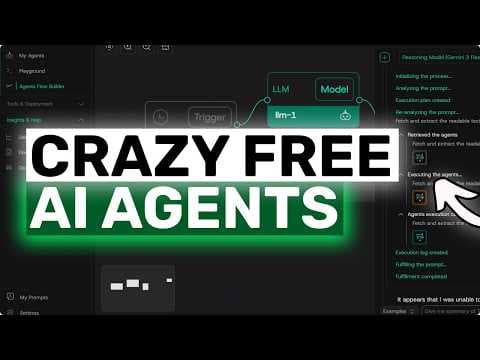
On Demand: платформа для створення та автоматизації AI-агентів
AICodeKing представив On Demand, платформу для створення AI-агентів з можливістю комбінування готових інструментів. Це дозволяє командам швидше розгортати AI-рішення, централізуючи управління та інтегруючи їх з існуючими інструментами, замість розрізнених рішень.
Ключові тези
- On Demand пропонує marketplace з понад 400 готовими інструментами для AI-агентів, що прискорює розробку
- Платформа підтримує multi-agent orchestration, дозволяючи координувати роботу декількох агентів паралельно для складних задач
- On Demand дозволяє використовувати власні моделі (BYOM) та інтегруватись з існуючими бізнес-системами, забезпечуючи гнучкість
Швидкий запуск AI-рішень завдяки готовим інструментам та агентам • Централізоване управління AI-агентами для кращої координації та контролю • Інтеграція з існуючими бізнес-системами для автоматизації наскрізних процесів
Платформа робить акцент на інтеграції з існуючими бізнес-системами та підтримці власних моделей. Це дозволяє компаніям використовувати On Demand без необхідності повної заміни інфраструктури та забезпечує гнучкість у виборі AI-моделей.
Опис відео▼
[music] Hi, welcome to another video. Most AI workflow tools look great in a demo, but the moment you want multiple agents, your own models, your existing tools, and something a real team can actually run, things get messy very fast. That is exactly why on demand is interesting. On demand is a centralized platform where you can discover, assemble, and automate AI agents using a curated suite of agentic tools and the models you want to use. So today, let me show you what it is, how you can use it, and why I think it stands out if you want AI workflows that are easy to create, work with your existing team and tools, and can actually scale as your needs grow. So, let's get right into it. First of all, once you sign up and open the dashboard, one of the biggest things here is the agent marketplace. This is where you can discover and deploy specialized agents and tools that are already available off the shelf. And this is actually a huge deal because on demand has more than 400 agentic tools that you can use here, which means you're not starting from zero every single time. You can find tools for research, document handling, internal knowledge, actions, and a bunch of other business use cases. So, if you're trying to build something for sales, support operations, recruiting, internal reporting, or anything like that, you can probably find a very strong starting point here. And because these tools can be combined in different ways, on demand says you can create more than 1,200 possible AI agent combinations, which is pretty wild to be honest. So, this is great for smaller teams because you can move fast without building a giant stack from scratch. And if you're on a bigger team, then it is also really useful because you can centralize how these agents get discovered, deployed, and managed instead of having everyone use a random separate tool. That is one of the main differences here, if you ask me. A lot of AI workflow tools are fine for small one-off demos, but on demand feels much more like a centralized system for real business use, where control, scalability, and coordination actually matter. Now, let me show you how I would actually use this in practice. Let's say I want to make a lead qualification workflow for a business. When a new lead comes in, I want the system to research the company, check it against my internal knowledge and ideal customer profile, and then give my team a summary with the next best step. That is the kind of thing that usually turns into a mess pretty quickly. If you try to do it across multiple tools, but here, I can just start in the marketplace and pick the agents or tools that I need for the workflow. I might choose a research tool, something that can work with internal knowledge and then whatever I need for the final output into the systems my team already uses. And this part is important as well because on demand talks about privacy first connectors and a unified knowledge layer. So instead of your agents working with random disconnected context, you can give them reliable context from your business docs, systems, and connected tools, which is really good for sure. In practice, that can mean replacing three or four disconnected tools with one centralized workflow and letting your team review a finished summary instead of manually pulling the same context every single time. Once you have the tools you want, the next big thing is the playground. But the playground is where you take those agents and assemble them into a purpose-built workflow for your exact use case. So, this is where the platform gets really useful because you're not just browsing tools anymore. you are actually combining them into something that can do work for your for your business. Inside the playground, you can choose the model you want to use, which is also really nice because on demand supports BYOM or bring your own model. So, if your team already has a preferred model or if you want the flexibility to choose the model that works best for a specific task, then you can do that instead of being locked into one option, which is amazing. Now going back to the lead qualification example, I can build a workflow where one agent researches the company, another checks my internal docs, another scores the fit, and another drafts the summary for my sales team. And the cool part is that this does not have to be one long single chain where one model tries to do everything. On demand supports multi- aent orchestration, which means you can coordinate multiple agents that work in parallel and then combine what they find into one final result. So instead of having one general model do a mediocre job at everything, you can have specialized agents doing specific tasks and then passing their results into the final workflow, which is kind of awesome. This is especially useful in business workflows because different parts of the job need different kinds of context. One agent might be good at web research, another might be good at using your company knowledge, another might be better for summarizing or turning the result into a final action for the team. And this is another place where on demand stands out more clearly. Instead of forcing one generic agent to do everything, you can orchestrate specialized agents in a controlled workflow which is a much better fit for enterprise style use cases where reliability and structure matter. So that is why the playground matters so much. It lets you assemble the exact workflow you want instead of forcing everything into a one-sizefits-all setup. And of course, once you build that workflow, you can test it, refine it, change the model, adjust the prompts, switch the agents, and just keep iterating until it works the way you want. So, this is pretty good because the marketplace helps you discover the pieces, but the playground is what turns those pieces into a practical system. Now, of course, building the workflow is only part of it because if you still have to run it manually every time, then you have not really automated much. That is where automations or the flow builder come in. Once your workflow is working the way you want, you can turn it into an executable automation that runs repeatedly. And this is probably the biggest thing for businesses because now you're not just experimenting with AI agents, you're actually deploying a repeatable workflow. The flow builder gives you a visual no code way to chain together the steps in the workflow. So if you want one step to gather information, another to analyze it, another to make a decision, and another to send the results somewhere, you can build that visually, which is super helpful. But that also makes it much easier for teams to understand what is happening without digging through a huge pile of code and scripts. So in this example, I could make the workflow run every time a new lead gets submitted or I could have it run on a schedule like every hour or every morning. Then the automation can research the lead, use the unified knowledge layer for business context, decide how qualified the lead is, and push the result into the team's workflow. Maybe it sends a summary to the team. Maybe it updates an existing process. Maybe it triggers the next step for a human to review. The main point is that it can work with the tools and teams you already have instead of forcing you into a completely separate process. And because this is all happening in one centralized environment, it is easier to manage, easier to improve, and easier to scale when the workflow gets more complex. That can save a lot of operational overhead as well because you're not maintaining a pile of separate prompts, tools, and automations across different platforms. you have one place where the workflow actually lives. That is why I think this makes sense for both SMBs and enterprise teams. If you are a smaller business, then you can start with a simple workflow, get value quickly, and keep expanding from there. And if you are a larger team, then features like BYOM, privacy first connectors, the unified knowledge layer, multi-agent orchestration, and the noode visual workflow builder make it easier to fit AI agents into real business operations in a controlled way. So it is not just about building something cool. It is about building something that your team can actually operate, trust, and keep expanding over time. So let's quickly recap how I would use on demand. First, I would go to the agent marketplace and discover and deploy the specialized agents and tools I need. Then I would move into the playground and assemble those agents into a purpose-built workflow for a real business task. After that, I would take that workflow into automations or flow builder and turn it into something that can actually run repeatedly without me having to babysit it. And from there, I would just keep improving it as the team's needs grow. So, this is really what I like here. On demand is not just about chatting with one model. It is about discovering useful agents, assembling them into a workflow, and turning that workflow into something automated and repeatable in one place. Overall, it's pretty cool. Anyway, [music] let me know your thoughts in the comments. If you like this video, consider donating through the super thanks option or becoming a member by clicking the join [music] button. Also, give this video a thumbs up and subscribe to my channel. I'll see you in the next one. Until then, bye. [music]
Ще з цього каналу
UNLIMITED FREE MiniMax M2.7 + Hermes,OpenCode,Claude Code: This is THE BEST UNLIMITED FREE AI Coder!
3 місяці тому
Multica: This OPENSOURCE GUI CONVERTS AI Coding Agents into TEAMMATES!
3 місяці тому
Karpathy-Skill + Claude Code,OpenCode: This SIMPLE ONE-FILE SKILL Makes YOUR AI CODER WAY BETTER!
3 місяці тому

Hermes V0.8 (New Upgrades) + New Free APIs & Local Models: LOL OPENCLAW! This is JUST SO BETTER NOW!
3 місяці тому