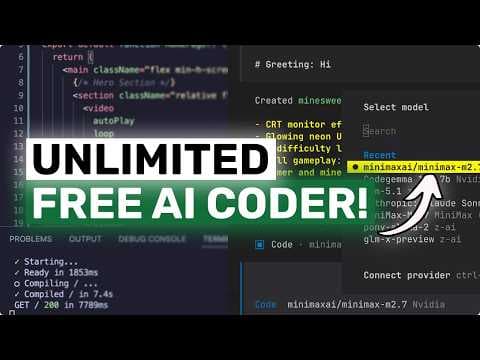
Безкоштовний AI кодер MiniMax M2.7 через Nvidia NIMS та Kilo CLI
MiniMax M2.7 тепер доступний як безкоштовний endpoint на Nvidia NIMS через Kilo CLI. Це дозволяє розробникам використовувати потужну AI модель для кодування та агентних робочих процесів без негайних витрат на API, спрощуючи інтеграцію та тестування.
Ключові тези
- MiniMax M2.7 доступний як безкоштовний endpoint на Nvidia NIMS для розробників.
- Kilo CLI спрощує перемикання між моделями та інтеграцію в робочі процеси кодування.
- MiniMax M2.7 позиціонується для складної розробки програмного забезпечення, використання агентних інструментів та довготривалої роботи.
Швидкий старт: тестування MiniMax M2.7 без негайних витрат на API. • Зручна інтеграція: Kilo CLI спрощує перемикання між моделями та інтеграцію в робочі процеси. • Довгий контекст: 204.8k контекстне вікно підходить для великих проєктів та документації.
Безкоштовний доступ обмежений умовами Nvidia API trial, що може змінитися. MiniMax M2.7, хоч і потужна, може не бути оптимальною для всіх задач, вимагаючи порівняння з іншими моделями.
Опис відео▼
[music] >> Hi, welcome to another video. So, if you remember, I had talked before about how you can use good models for free through Nvidia NIMS or basically the Nvidia API catalog. And I had also shown that workflow in Kilo CLI. That setup was already really good because you could use stuff like Kimmy, GLM, and the older MiniMax models without immediately paying per token in the usual painful way. But now there is a new model there, and this is the part that makes it much more interesting. Nvidia has now added MiniMax M2.7 on build.nvidia.com as a free endpoint. And that is actually pretty awesome. So, let's talk about what this model is, why I think it matters, and why using it for free in Kilo CLI is one of the coolest things right now if you like agentic coding workflows. Now, first of all, what exactly is MiniMax M2.7? This is the new MiniMax text model that got open sourced recently, and it is basically the newer version in the M2 line after M2.5. If you have watched my previous videos, then you already know that I have talked about MiniMax a lot before. I talked about M2, then M2.1, then M2.5, and I have also talked about using Nvidia NIMS in Kilo CLI before as a free model route. So, this video is kind of the intersection of both of those things. You now have the newer MiniMax model available through Nvidia's free endpoint flow, and that is really very cool to see. Now, according to Nvidia's model card, MiniMax M2.7 is a 230 billion parameter text-to-text model with a sparse MoE setup and only 10 billion active parameters per token. It supports a 204.8k context window, and Nvidia positions it around coding, reasoning, and office tasks. That already sounds good, but the more interesting part is how MiniMax is describing it. They are not pitching this as some generic chatbot. They are pitching it as a model for complex software engineering, agentic tool use, long horizon work, and productivity workflows. They also say it has very strong skill adherence and much better handling of complex environments. And honestly, that lines up with what I usually like from MiniMax models anyway. They are usually not the models I would pick just to chat for fun. They are the models I look at when I want something fast, practical, good at following instructions, and actually useful inside coding agents. So, this is pretty great for sure. Now, let me give you some of the benchmark numbers that are actually interesting here. Because these are quite solid. Nvidia lists MiniMax M2.7 at 56.22% on SwePro, 55.6% on VibePro, 57% on Terminal Bench 2, and 39.8% on NL2 Repo. On the MiniMax side, they are also saying it maintains about a 97% skill adherence rate across 40 complex skill cases, and shows a significant improvement over M2.5 in open claw style usage, getting closer to Sonnet 4.6 on their MM Claw evaluation. So, in simple terms, what this means is that this is not just a tiny refresh. This seems to be a meaningful improvement for the exact kind of things people like us actually care about, which is coding, agent workflows, tool calling, repo understanding, and longer multi-step tasks. That is the part I like. Now, let me come to the free angle because that is what makes this extra attractive. On Nvidia's page, MiniMax M2.7 is labeled as a free endpoint. And just to be precise here, when I say free, I mean free under Nvidia's current API trial or developer access terms on build.nvidia.com. I do not mean some infinite production free tier forever with zero limitations. These things can always change. But for developer testing, trying projects, checking model behavior, and using it in your CLI coding workflow, this is really good. You are basically getting access to a brand new strong MiniMax model without having to immediately worry about normal API spend. That is actually amazing. Now, why do I think Kilo CLI is such a nice place to use this? Because Kilo CLI makes this kind of model switching very painless. If you have used Kilo before, then you already know the flow. You do not need to build some weird config jungle just to test one model. You can just get your Nvidia API key from build.nvidia.com, open Kilo CLI, run {slash}connect, choose Nvidia, paste the key, and then run {slash}models to select MiniMax M2.7 if it is available in the list for your account. That is it, and that simplicity matters a lot because the real fun here is not just that M2.7 exists. It is that you can go from hearing about the model to actually using it inside a proper coding agent workflow in just a couple of minutes. You are not stuck in some web playground only. You are not forced into some awkward custom wrapper. You can just plug it into Kilo CLI and use the same workflow you already use for reading files, editing code, searching repos, and building stuff, which is chef's kiss. Now, this is also why I think this matters more than just another model announcement. A lot of model launches sound exciting on paper, but then the actual usage story is annoying. Maybe the API is expensive. Maybe the setup is messy. Maybe it only exists in a playground. Maybe it does not fit into your daily workflow. Here, the usage story is actually good. MiniMax M2.7 looks strong on the kinds of tasks we care about. Nvidia is exposing it as a free endpoint for developer access. And Kilo CLI gives you a clean way to put it into a real agentic workflow. That combination is what makes it so cool. And because I have talked about this whole Nvidia plus Kilo setup before, what is nice here is that you do not need to learn anything fundamentally new. This is not some whole new complicated stack. It is the same easy Nvidia route, but now with a newer and better MiniMax model in the mix. So, if you had already tried MiniMax M2.5 or one of the other Nvidia models in Kilo CLI, then this is a very easy model to add to your rotation. Just connect Nvidia, open the models list, pick M2.7, and see how it feels on your own tasks. Now, what kinds of tasks do I think this will be especially good for? First, repo level coding and implementation tasks. Because the model is clearly being positioned around software engineering and tool use, I think it should be quite good for stuff like asking Kilo to inspect a code base, make a feature, fix bugs, or refactor part of a project while following a structured workflow. Second, long context work. That 204.8k context window is very useful if you are working on larger repos or feeding the model a lot of instructions, plans, or project documentation. Third, skill-based workflows. MiniMax is talking a lot about skill adherence here, and Nvidia's card also highlights the model's use in complex agent harnesses. So, if you are someone who uses structured prompts, reusable skills, or specific workflows in Kilo CLI, then M2.7 could be a really good fit. And fourth, office and productivity tasks. This is actually a thing I think many people will overlook. MiniMax is not just pushing coding here. They are also saying that M2.7 is much better at office document editing and multi-turn modifications in things like Word, Excel, and PowerPoint style workflows. So, if you use agents for mixed technical and productivity work, that could be pretty useful as well. Now, of course, I do want to keep the expectations reasonable. Just because a model is new does not mean it will automatically be your favorite on every task. Kimmy may still feel better in some situations. GLM may still feel better in others. And depending on the exact workflow, you may still prefer a different model for planning versus implementation. But that is the whole beauty of using Nvidia through Kilo CLI anyway. You do not have to marry one model. You connect Nvidia once, and then you can compare models in the same workflow without rebuilding your whole setup every time. That is super practical. So, if I had to summarize this whole thing very simply, I would say this. I have talked before about MiniMax models being under appreciated. I have talked before about Nvidia NIMS being a really nice free route for developers, and I have talked before about Kilo CLI being a very good place to actually use these models in a real coding workflow. Now, MiniMax M2.7 kind of brings all of that together. You get a newer MiniMax model that looks seriously strong for software engineering and agentic tasks. You get it through Nvidia's free endpoint access, and you can plug it straight into Kilo CLI without a lot of nonsense. That is really, really cool. So, if you already use Kilo CLI, I would absolutely recommend trying MiniMax M2.7 through Nvidia NIMS. And if you have not tried the Nvidia route yet, this is honestly one of the best reasons to do it. Overall, it's pretty cool. Anyway, let me know your thoughts in the comments. >> [music] >> If you like this video, consider donating through the Super Thanks option or becoming a member by clicking the join button. Also, give this video [music] a thumbs up and subscribe to my channel. I'll see you in the next one. Until then, bye. >> [music]
Ще з цього каналу
Multica: This OPENSOURCE GUI CONVERTS AI Coding Agents into TEAMMATES!
3 місяці тому
Karpathy-Skill + Claude Code,OpenCode: This SIMPLE ONE-FILE SKILL Makes YOUR AI CODER WAY BETTER!
3 місяці тому
Hermes V0.8 (New Upgrades) + New Free APIs & Local Models: LOL OPENCLAW! This is JUST SO BETTER NOW!
3 місяці тому
Muse Spark + Claude Code: This FULLY FREE MODEL is A CRAZY FRONTEND BEAST!
3 місяці тому