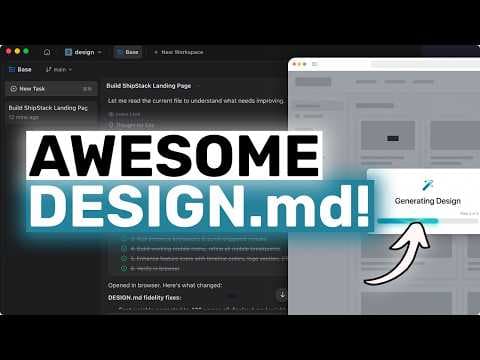
AwesomeDesign-md + OpenCode, Claude: Опенсорс дизайн-система для AI UI
Відео представляє AwesomeDesign-md, опенсорс репозиторій файлів design.md, натхненний реальними вебсайтами, з метою покращення візуальної консистентності UI, згенерованих AI. Він інтегрується з Verdant, дозволяючи розробникам використовувати ці дизайн-референси як візуальне джерело правди при створенні інтерфейсів за допомогою AI.
Ключові тези
- AwesomeDesign-md надає файли design.md, які описують дизайн-системи у спосіб, зрозумілий для AI-агентів.
- Це допомагає вирішити проблему візуальної несумісності UI, згенерованих AI.
- Репозиторій включає приклади дизайну з таких вебсайтів, як Vercel, Linear, Stripe та Notion.
Пришвидшення розробки UI з використанням AI на 20-30% для малих проєктів • Зменшення витрат на дизайн завдяки використанню безкоштовних опенсорс шаблонів • Покращення консистентності дизайну UI, згенерованого AI
Хоча AwesomeDesign-md пропонує корисні шаблони, користувачам слід бути обережними, щоб не створювати надто похідні дизайни. Важливо адаптувати та персоналізувати дизайн, щоб він відповідав унікальному бренду та продукту.
Опис відео▼
[music] Hi, welcome to another video. So today I want to talk about a GitHub repo that is actually very practical if you build frontends with AI agents and that is awesome design MD by Volta Agent. Now, at first glance, this can look like just another awesome list. And technically, yes, it is a curated collection. But the reason I think this repo matters is that it is solving a very real problem with AI generated UI. Most agents can write code. That part is no longer surprising. The issue is that they often produce frontends that are structurally okay, but visually all over the place. You get a decent hero, then random spacing, then weird cards, then buttons that look like they came from another site, and by the end, the page feels stitched together from five separate prompts. That is the thing this repo helps with. So, what is awesome design MD? It is a curated collection of design.md files inspired by real websites, especially developer focused ones. You have options like versel, linear, stripe, raycast, superbase, notion, volt, agent, and a lot more. When I checked it, there were more than 50 different design folders in there, which is already a pretty solid collection. And each entry is not just a random text note. Every design comes with a proper design. MD file, plus preview.html and preview-d dark.html files, so you can inspect the visual direction before you use it. So that part is pretty good for sure. Now if you have not been following Google Stitch, design.md is basically a plain markdown file that describes a design system in a way AI agents can actually read well. It covers things like visual mood, color palette, typography rules, component styling, spacing, layout principles, depth, responsive behavior, and design guard rails. And that is what makes this interesting. You are not feeding the agent some vague oneliner like make it clean and modern. You are giving it an actual design reference in a format the model can use directly. The readme also makes a clean distinction. Agents.md is for how the project should be built. Design.mmd is for how it should look and feel. That split matters because a lot of AI UI drift comes from trying to cram architecture, behavior, styling, and copy direction into one prompt. Now, quick reality check. This repo is not magic and I would not use it to make lazy clones. The better move is to borrow the design discipline then adapt it to your own product and brand. Anyway, now let's come to the Verdant part because this is where the workflow gets interesting. If you are using Verdant for actual project work, this repo fits into that workflow very naturally. You open your front-end project in Verdant, place the design. MD file in the project route and then prompt Verdant to build using that file as the visual source of truth. That is really the whole setup in principle. Now, one thing I do want to mention is cost. The repo itself is free and MIT licensed, but Verdant is a paid product with credits. So, just keep that in mind if you do a lot of large UI generation. So, let me show you how I would set this up. First, create or open a front-end project. This can be a next app, a vite app, an astro app, whatever you like. Verdant works around a project folder. So the key thing is simply that you have a workspace open. Then clone the awesome design system re repool. After that, verdant.md is Verdant's own global rules file. Agents.md is for project specific implementation rules. Once you separate those three in your head, the setup is very easy. Now once the file is in place, open the project in verdant. If you use the desktop app, just sign in and open the folder. If you use the VS Code extension, install the extension, sign in and open the Verdant panel inside the project. At that point, I like to be explicit in the prompt. Even if Verdant sees the file automatically, I still mention it directly. So, for example, I would give it something like this. Build a responsive landing page for a developer tool called Shipstack. Use the design. MD file in the project route as the visual source of truth. Create a hero section, a feature grid, a code example section, a pricing block, customer logos, and a final call to action. Keep the copy concise and match the spacing, typography, and surface treatment from the design file. That is a good starting prompt because it tells Verdant what to build and what visual reference to obey. Now, if the project is larger, I would start in plan mode first. For a small landing page, agent mode is usually fine. So, let's do the demo flow. I have a simple front-end project open here in Verdant. Nothing fancy. I also have the verseldesign.mmd copied into the project route. And if you open that file, you can immediately see why this works better than a generic prompt. It talks about actual design behavior, not just vague taste, typography, spacing, accent use, border treatment, component styling, responsive rules. All of that is spelled out. So now I send the prompt and let Verdant work. The first thing it usually does is inspect the workspace and read the relevant files, including the design.md. Then it figures out what components or pages it needs to create based on the stack in the project. If we wait a bit, Verden starts generating the page. Now the first pass is where you can usually tell whether the setup is working. If the file is good and the prompt is clean, the result tends to look much more coherent than the usual AI first UI output. The hero feels more intentional, the spacing is more disciplined, and the buttons and cards stop feeling random. That consistency is the whole point. A lot of AI generated frontends are not broken. They just feel generic. Design.mmd helps with that. Now, will the first result be perfect? Usually, no. There's almost always a second pass. So, then I do a refinement prompt. Tighten the hero copy, reduce unnecessary decorative elements, make the feature cards flatter, and align the final call to action more closely with the visual language defined in design. Also, check the mobile layout. Let's send it and see. And this is where the workflow becomes much more reliable than repeated one-off prompting because the design file remains in the root of the project. Verdant keeps coming back to the same visual source instead of drifting with every follow-up prompt. That is why I think this repo is more useful than it first looks. It is reusable grounding for design generation. Another thing I like is that the repo gives you styles based on websites most developers already recognize. So if you choose versel, linear, raycast, stripe or superbase, you already have a mental picture of the target feel. That makes prompting easier and it makes the output easier to judge. I would also say that this setup pairs really nicely with an agents.md file in the same project. Agents.md can define implementation behavior while design.md defines visual behavior. That keeps prompts shorter and much more repeatable. Now, are there any downsides here? Yeah, a couple. First, not every generated result will be amazing just because the file is detailed. The quality still depends on the agent, the the prompt, and the project structure. Second, some of these styles are strong enough that if you're not careful, the page can feel too derivative. So, I would absolutely change the content structure, product framing, and branding details. And third, if you're doing a very simple internal tool, maybe this is more setup than you need. But for landing pages, polished dashboards, docs, sites, demos, and client-f facing UI, I think this is a really solid workflow. So overall, what do I think? I think awesome design MD is one of those repos that quietly solves a real problem for AI assisted front-end work. It takes design language that would normally live in people's heads or in screenshots or in vague prompts and turns it into a reusable text format that an agent can actually follow. And when you combine that with Verdant, the workflow is very straightforward. Open your project, copy in a design.md file, prompt Verdant to use it as the visual source of truth, generate the first pass, and refine from there. That is simple, practical, and easy to repeat. So, if you're tired of AI built pages that look kind of okay at the top and then fall apart as you scroll, I would definitely check this repo out. I think it is a really good option for sure. Overall, it's pretty cool. Anyway, let me know your thoughts in the comments. If [music] you like this video, consider donating through the super thanks option or becoming a member by clicking the join button. Also, give [music] this video a thumbs up and subscribe to my channel. I'll see you in the next one. Until then, bye.
Ще з цього каналу
UNLIMITED FREE MiniMax M2.7 + Hermes,OpenCode,Claude Code: This is THE BEST UNLIMITED FREE AI Coder!
3 місяці тому
Multica: This OPENSOURCE GUI CONVERTS AI Coding Agents into TEAMMATES!
3 місяці тому
Karpathy-Skill + Claude Code,OpenCode: This SIMPLE ONE-FILE SKILL Makes YOUR AI CODER WAY BETTER!
3 місяці тому
Hermes V0.8 (New Upgrades) + New Free APIs & Local Models: LOL OPENCLAW! This is JUST SO BETTER NOW!
3 місяці тому