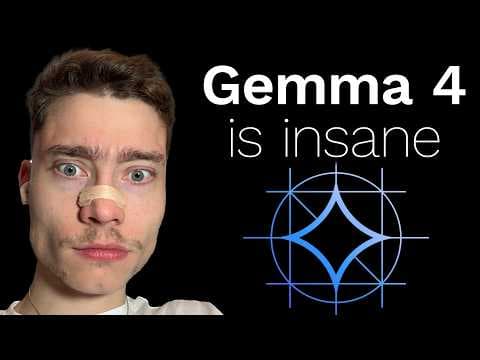
Gemma 4: найкраща open-source модель Google для локального запуску
Google випустила Gemma 4, open-source модель, здатну працювати локально, конкуруючи з платними аналогами. Це дає безкоштовний, приватний AI без обмежень, ставлячи під сумнів бізнес-моделі великих AI-компаній.
Ключові тези
- Gemma 4 – нова open-source модель від Google, здатна працювати локально.
- Модель конкурує з великими платними моделями, наприклад, GPT-4.
- Gemma 4 дозволяє запускати AI безкоштовно, приватно та без обмежень.
Безпечний аналіз даних без передачі третім сторонам, що знімає блокери для медицини та фінансів.
Gemma 4 вимагає значних обчислювальних ресурсів для великих моделей, що може обмежити її використання на слабких пристроях. Оптимізація для Apple Silicon (MLX) вирішує цю проблему.
Опис відео▼
So, Google just shocked the AI industry with the release of Gemma 4, a new open source model that is insanely powerful. But the crazy part is it can even run on your phone. And actually, Gemma 4 might save you hundreds of dollars because you no longer have to pay for CI GPD. See, the beauty of local AI models is that they are completely free without any rate limits and 100% private. And this is the unspoken secret of the AI industry. The big AI companies want you to ignore local models because if you can run AI on your laptop, their business model falls apart. First off, what even is Gemma 4? Well, it's a new open source model made by Google that is absolutely incredible for how small it is. We're entering an era where capable AI models are no longer locked behind the payw wall, but instead they can run on the devices you already have. And just look at the increase in popularity for local AI models over the past 5 years. Yeah, it's safe to say that if you're not running any AI models locally, you're falling behind. Now, let's take a closer look at Gemma 4 because somehow Google has absolutely cooked with this model. It beats models that are nearly 30 times bigger. I'm going to say that again. Gemma 4, even though it's only 31 and 26 billion parameters, is on the same level as Kim K 2.5 with 1.1 trillion parameters. But not only that, in traditional Google fashion, GIMA models are multimodal, which means they're great at audio and image and video inputs. For example, this guy cooked up real quick in like couple of hours. A image classifier where you can see that this is Gemma. I think this the E2B variant. Let's check. Yeah, the E2B, the smallest one. So, there are four versions, but more on that later. And you can see that not only does it recognize the object, but it writes a description nearly in real time because it's such a small model of what he's holding, what he's doing on screen. So yeah, these models are really, really good at multimodel capabilities as well. And again, in a bit, I'll show you how to actually set up and run Gemma 4 both on your laptop and on your phone. But first, if you run an open source models, you also need an open- source database. And this is where Superbase comes in. The biggest problem with AI agents right now isn't the AI, it's giving them access to real data. See, you can build a working agent in a matter of 20 minutes. But the moment it needs to read a database, write to a table or check who's logged in, you're back to wiring APIs, managing credentials, and writing glue code that has nothing to do with the actual product. Luckily, Superbase fixes this. They ship an MCP right out of the box, which means your AI tools, whether that's cursor, cloth code, codecs, or whatever else you're using, can talk directly to the Postgress database through a single connection string. But here's what makes it super powerful for agent builders. your embeddings, your data, your off, your file storage, it all lives in the same Postgress instance. So when your agent needs to do a vector similarity search across user documents, it's not calling free separate services. It's one query. So if you're building AI agents or automations in Python, Superbase is a mustave. They have an amazing free plan and it's super easy to set up. It just takes a few minutes and you can try it yourself. The link is going to be below the video and thank you Superbase for sponsoring this video. All right, now back to Gemma 4. Look at the improvements across all areas, right? Healthcare, overall text, creative writing, instruction following, multi-turn, mathematics, software. This is the jump of Gemma 4, the blue one, compared to Gemma 3, which is last year's open source model from Google. Needless to say, this is a huge, maybe even the biggest improvement in open source since the release of Deepseek. But what makes this really interesting is that Google gave us both a dense model which is the biggest one 31 billion parameter and a mixture of expert model which is sparse. So here are the four different versions of Gemma. These ones are the smallest ones E2B and E4B stands for effective parameters. Basically these are ones are for phone. These two are for laptop. Unless your laptop is [ __ ] then you're probably going to have to run these as well. But the top one is a dense model and this one is a mixture of extras model. Now here's what that actually means, right? Dez's model means that all of the parameters, so all 31 billion are active at all times. And this is a lot simpler architecture that has a lot more predictable behavior. The downside is that it's expensive to run. On the other hand, mixture of experts, this is something that has been super popular over the last two years is a sparse architecture. Both of them are the transformer architecture, but these are just either sparse or dense. That's the difference in activation of the parameters, right? So the huge parameter count which again this is the mixture of expert model the 26B it's not all activated at a single time. So even though these are like similar in parameters they're not similar in speed. The 31B is going to be a lot slower than the 26B because this is a mixture of experts which means not all 26 billion parameters are active in every turn. So if you ask about coding maybe it activates the coding expert and the math expert but it will not activate the English language expert. So, if you have maybe only like 16 GB of RAM or VRAM, you could probably run the 26B mixture of experts, but you will definitely not be able to run the 31B. And here's a nice visualization of what that looks like when the model is running, you know, when the tokens are being generated. And what's crazy is that the dense model at 31 billion parameters is number three on the arena benchmark for all open source models. So it's even defeating like 700 billion parameter models which is just unheard of in the realm of open source models. All right. So how do you actually set up Gemma 4 so it can run on your laptop or on your phone? Well, let's start with the laptop and there are three main ways to do it, right? So we have Olama, we have LM Studio and we have Llama CPP. Olama is slower than Llama CPP. So if you want maximum performance, go with this one. If you want convenience and simplicity, go with Olama. If you already have LM Studio set up, go with lmstudio, right? So, there is no wrong choice. I'm going to show you how to do Ola because it's super simple. So, just go to ola.com and here's a oneliner install command. Copy that. Open a terminal. Type in terminal. Boom. Into spotlight search. If you're on Windows or Linux or some obscure operating system and you don't know how to open a terminal, I'm going to tell you a little unknown secret. Just ask AI. How do I open the terminal on my Windows 95 system? Boom. Any problem, any question, anytime you get stuck, ask one of the cutting edge AI models. Just don't get stuck. Okay? A lot of people are overthinking this and they're scared of the terminal for no reason. It's the easiest way to interact with your computer. So, open up the terminal. Okay? Stop making excuses. Copy this oneliner command and paste it in. Boom. Yes, it's that easy to install. It's that easy. You can do it even if you're not a developer. Stop being afraid of the terminal. Next up, we need to go back to the Olama website. And in the top left, we can see the models section. And here, well, already we can see that Gemma 4 is at the top. But here they have all of the kinds of different open source models that they support. If Gemma 4 isn't at the top for you, just type in Gemma at the top. And you know, it will filter only to the Gemma models. Obviously, we want the latest version, Gemma 4. If we scroll down, we can see the different sizes, right? So, Google released four different sizes. And again, this depends on your computer. You need at least 24 GB of VRAM to run these bigger ones. If you have Nvidia GPU or non-MAC, if you're on Mac OS with the Apple silicon, so like M1 chip, M2 chip, M2 chip, M3, M4, M5, you have shared RAM. So I'm going to show on screen what that looks like. But basically, your RAM is shared between the CPU and the GPU, which is a huge advantage for running models locally. If you have like a Windows computer and you're using Nvidia, your RAM doesn't matter. What matters is the VRAMm of the graphics card, right? So again, put your specs. I'm going to once again tell you a secret. Put your specs into a powerful AI chatbot. Tell it what type of system you're running and ask it which of these models you can run. But the beauty about Gemma is that you can run at least some of these because literally these are running on my iPhone. And I'm going to show that to you in a few minutes. But first, let's do the laptop setup. So scroll up and you can see that Olama run Gemma 4. That's the install for general. But if you want to specifically, you know, let's say you have the machine and you want to run the biggest JMA, just copy the name of the model, switch back to the terminal. Let's do clear to clear the terminal and type in lama space run space and paste in the model name and hit enter. Boom. That's it. Two terminal commands and we have everything we need. And this will begin installing and downloading that model. Now, for me, it didn't do that because I already had it downloaded, right? So if you want to see, let's do / buy. If you want to see whether you have the model downloaded or if you used Olama in the past, you can just type in Olama list and it will list out all of the different models that you've downloaded with Olama. So I'm going to do clear and I'm going to once again do run JMA 4 31B. This is the dense model, the biggest one. And once it finishes downloading, which takes, you know, 5, 10, 15 minutes, depending on your internet, you will see that you can start sending a message and can do, hey, and you can start chatting with the model fully loaded on my MacBook. Look, this is pretty fast. I think this is like 40 50 tokens per second. And it's fully loaded on my MacBook. And this is on the same intelligence level as Kim K 2.5, which is 1.1 trillion parameter. Guys, think about this. GPD4 was like the first model that was officially above one trillion parameters and just two and a half years ago that was the greatest model in the world and now we're running these on our laptops. We really are living in the future guys. All right, but let's say you don't want to use the terminal. Okay, you can type it by Olama also has a desktop app. So if you type in Olama, boom, you can open the desktop app and you can see that they have a bunch of different presets for the AI agents. Copy a command run in the terminal. So Olama launch cloth. You could use Orama to power all of the latest AI agents or you can just use the chat in the top left to send a message here and you should see the different models. So let's do Gemma Gemma 31B. There we go. And this is a you know bit more friendly interface. You have a actual chat. So if you want to use something that's similar to chat GBT, you don't have to use Ola in the terminal. Just open it up like I did like any other app. Boom. There it is. And we can start chatting. list out 10 greatest philosophers of all time. And actually, I was testing some of its lesser known things, like lesserknown knowledge yesterday, and I was surprised with how good this model is. It actually knows a lot given that it's only 31 billion parameters. As you can see, it's a reasoning model. So, it's thinking before it answers. And there it is. It was reasoning for 46 seconds. And now it's listing out the 10 greatest philosophers with a classic LLM warning that there is no way to know which is greatest. And uh yeah, I'm not going to wait for this to finish because I'm also recording in 4K and this model is running all on a single MacBook. Guys, this is what OpenAI fears. You just paying a couple thousand dollars for a powerful machine and then never having to pay these subscriptions ever again. Okay, so now that you know how to run Gemma 4 on your laptop, let's talk about the phone. So these models again, E2B and E4B stands for effective. So effective two billion parameters or effective 4 billion. I think both are mixture of experts but they're runnable even on phone. Now if you have like 10 year old smartphone probably not but if you have like one two three years old phone that is decent you can absolutely run these and I'm going to show you how both on Android and on iOS. So just type in Google AI age gallery. This is the app you need. And again it's available on both the Google Play Store and the Apple App Store. In fact, let me start screen recording my phone. In your app store or in Google Play, type in Google AI Edge Gallery and this is the icon, right? It should look like this or looks like this. Hopefully, I'm screen recording my phone here. And download this. It's completely free. It's an official app from Google. Then click on open and this opens it. And you can see that it already says try GMA 4 today at the top. So, this lets you run models locally on your phone. So click on AI chat right there. And we can see we have the four different options, right? Actually, be careful because the bottom two ones are Gemma 3. So these are not the four Gemma 4s. The bottom two are Gemma 3, which is the older generation. So you definitely don't want to run these because they're way less powerful. You want to look at the top two. The top one is 2.5 GB. That's the size on disk. And this is the E2B. And the bigger one is the E4B, which I would recommend if you can run it. And this one is 3.6 6 GB. So that's the storage it will take up on your phone. But if you download it, which again takes couple minutes depending on your internet. You can click this blue button and you can start a chat with it. At the top it says initializing model. So it's loading it into the memory. And now it's loaded. And I can say hey. And let's see how fast it responds. You can see that that was fast. That's not bad at all. Okay. say, "Explain how LLM inference works." Look at this. This is like 30 tokens per second. All running on my iPhone. I have a 16 Pro Max, so it's not even the latest generation. And this is usable. If you're in a forest and you know you get injured, you have broken leg, you don't have a signal, you don't know what to do. This could actually save your life. So all of you go to Google AI Edge Gallery and just download this. There's no reason not to do that. It's completely free and you can run this on your phone. And again, all of this data stays private on your machine. You're not sending it to Sam Alman or Dario Ammoday or Mark Zuckerberg. This is locally on your phone and it can answer most questions just as well as CH GBT. Obviously, if you want to push it to the limits of coding or mathematics or problem solving, yeah, Opus 4.6 and GPT 5.4 for these top big multi- trillion parameter models are still going to be better. But for most questions, this is good enough and there's no reason you shouldn't have this. Now, before I show you how to run Gemma 4 inside of Hermes agent, so you have a super powerful agent running locally on your machine, there's two tweets I need to show you. First from Steve Vibe or STV Vibe. So, everyone knows that Gemma 4 is good at tool calling, but what about web coding? Because people think again these small models how good are they you know are they any useful at coding well take a look for yourself right so here is the example uh let me start it from beginning at the top there are the reference images and below is the result from Gemma 4 and on the left again 26 billion mixture of experts on the right is the 31 billion dense model okay so look how well they replicate and by the way top right is the E4B so this is the one I just ran on my phone look how well they replicate the reference image. So 26B was first because it's mixture of experts and you can see okay let me pause that. So 26B and 31B great job both E4B you know it's an attempt it's attempt but again this model is runnable locally on your phone and obviously I would say the 31B is better because you can see the animation and and glow and stuff like that but both are really good. Okay so let's look at the next. So this is a reference image of a review that any website might have. So okay, E4B finished first. Doesn't really have the same feel, you know, rounded corners. It's missing some of the design components, but this is usable. It's kind of crazy, right? You have a f you have a model that you can run on your phone that generates usable web components. Insane. But let's look at the 26 and the 31B. So already 26B, okay, both are much better. I would say actually the 26B is better here because of the spacing, but both kind of nail the font. You can see like a more like handwritten vibe. And yeah, both of these are a lot closer towards the reference. But yeah, 26B wins this one. So yes, you can absolutely use these models for coding locally. Like if you're on a long flight and you don't have internet and you want to keep building your app, you can plug this into cursor into open code into Hermes agent and keep building your app while others would just waste time, you know, watch the [ __ ] infotainment system in the plane. And this is a pricing page and you can see that actually E4B is pretty good here. It doesn't, you know, follow the reference, but like this is pretty good design. In some split test, this might actually overperform the bigger ones. Gemma 4 super capable at UI and web development especially for its size. Again, that's the biggest thing. These models are like between 20 and 30 billion parameters, guys. And they're performing on the level of 700 or 1 trillion like one trillion parameters. Like I cannot stress this enough how incredible this is. The next thing I want to show you is this guy Prince Kuma. He absolutely cooked and within 24 hours it was way less I think within 12 hours within 12 hours of Jimafford released he added MLX support so it's more efficient to run on M chips you know Apple silicon chips and actually this guy I checked his profile and it's uh from Poland Kov you can see Kraov Poland which reminds me that I'm going to be building an office in Katovita so if you are an AI first developer someone who's really technical whether a programming background or AI machine learning background and you want and join my team, make sure to DM me on Instagram or on Twitter because I'm going to be building an elite in-person team in Kavita in Poland. But now, let me show you how to run Hermes agent with Gemma 4. All right, so the first thing we need to do is actually open the terminal and type in Olama surf, just two words, and hit enter. Now, as you can see, uh the address is already in use, and that's because I already have Olama running. So make sure you type it in to check if it's running or not. If it's not running, it will uh serve the server so that we can use it inside of Hermes agent. So just make sure to run this no matter what. Next up, go to the official GitHub for Hermes agent. Scroll down to find the curl install oneliner. So again, don't be afraid of the terminal. This is a one command that we just copy and we run it in the folder where we want to install Hermes agent. So actually I'm going to use an ID for this. I'm going to use cursor. Feel free to use VS Code or anything else. Here we go. And the reason I like an ID is because you can see the folders and uh you have a integrated terminal, right? So if I do ls, you can see that we have two folders. I'm going to do CD into testing folder and ls. And this is an empty folder. See on the right, nothing here exists. And here I'm going to paste in the command to install Hermes agent. We have some errors. I think that's because it's already installed, right? Hermes version. Yeah, it's already installed. So just go through the setup. I recently posted a video on that. If you haven't seen it, watch it after this one. But to check your version, just do Hermes version. Can see I already have one installed. And there is actually update available. So type in Hermes update to get the latest update of um Hermes agent. And if we check Hermes version right now, we have the latest version. Beautiful. Now here comes the important part. How do you select Olama as the provider to power Hermes? Well, you type in Hermes model and we can see that we have many different uh options, but we need to scroll down and click on custom endpoint. Enter URL manually. Enter that. And here we need to put the endpoint as localhost 11434/v1. So this is the string you have to copy. So make sure it's exactly this. This is the port where the Olama server is served. So feel free to pause this video and type in exactly localhost column 111434/v1 enter the API key there's no API key because it's running locally. So just hit enter and we can see that there are available models and it correctly pinged this endpoint and found these models. So instead of typing the full model name we can just select which number. Uh so obviously we want the gemma 4 GMA 4 third. So I'm going to type in one context length in tokens auto detect. Yeah. Hit enter. And there we go. It saved Gemma 4 31B as the agent uh as the model powering the agent. So let's do Hermes uh just her mass to start agent. And there we go. Gemma 4. Hey, let's see if it works. So 260,000 contacts window. Not bad at all for a 31 billion parameter model. So it's loading into memory right now. And if this works, we just have a fully local AI agent. This is like a better version of open claw basically right running fully locally on my MacBook. Now we still didn't get the response. So let's be patient. Let's see if uh this is loaded into memory. Olama ps it is loaded. I'm not sure why it's taking so long to generate tokens. Oh, there it is. It responded. Okay. So, it takes some time because there is like as you can see 12 false tokens because um there's a lot of pre-made prompting with Hermes agent. So, it's not going to be the fastest. Okay. But now that it's loaded, it should be fastest. Uh show me the contents of your Hermes folder as a file tree. Let's see how fast it is now. Obviously, the longer the prompt, the longer the response. The reason it was so fast before is because there was no system prompt, right? So we were just chatting with the raw model through Olama. So for something like this actually a better project would be PIDEV. Oh, there it is. Okay, so it's running. Let's see how good is at tool search. So it needs to use a search tool to analyze u the internal folders inside of it. Okay, now we use terminal. This is actually fascinating. All of this running locally. We're running uh Hermes agent and we're testing tool calling abilities of Gemma 4. Okay. So yeah, it is very slow u the moment you have the prompt. But what I wanted to show you is a much more minimal agent and that is pi.dev. So if you want the thing that's powering open claw, this is a super minimal agent with like minimal tools, minimal prompting. It's going to be better for local models because it doesn't involve so many dependencies, so much so many instructions, so much bloat. But it's not going to be as powerful with uh cutting edge models. That's what I would say. So pi, let me know if you want me to make a video on pi because uh this is like the underground thing that not many people know exists but actually what openclaw is built on top of. So let me know if you want to want me to make a video on pi def agent. But yeah, this is running super slow. So again, if you're in a plane, if you're without the internet, it's much better than nothing, but it's not going to be as efficient as, you know, cloud hosted supercomputer AI models that are in a big data center. Now, that said, if you're someone who's interested in AI coding, then make sure to join the new society. Right now, we're working on a lot of new content, which is going to be released in 8 days from now, but until then, the price is at $37 a month. This is the lowest it's ever been. So if you're serious about AI coding and if you want to master cloth code cursor codecs and the other coding agents, if you want to have the ability to build anything with AI coding tools, then make sure to join the new society. It's going to be linked below the video. And again, for the next 8 days, it is $37 a month and then it's going to go up to $77 a month and it's going to stay there forever. This is the biggest price drop we've ever had. It's the cheapest it's ever been in the history of New Society. So again, if you're serious about AI coding, join now because there's a massive release coming in 8