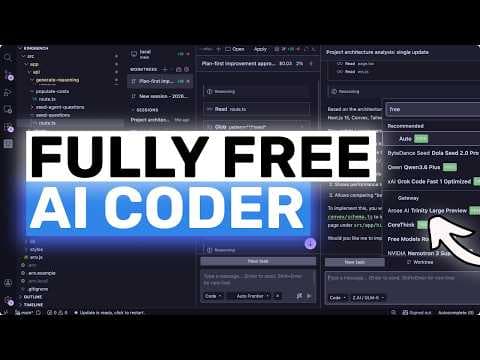
Fully Free AI Coder (Qwen,GLM,Seed 2.0,Step): This NEW & UPGRADED Free & Open AI Coder is INSANE!
Опис відео▼
[music] Hi, welcome to another video. So, I wanted to revisit Kilo Codes rebuilt VS Code extension because there are now basically two important dates here. Kilo published the post saying they had completely rebuilt the VS Code extension. At that point, it still had that beta or pre-release feeling. But now there is a newer post from April 2nd, 2026 called New Kilo for VS Code is live. And that changes the framing quite a lot. This is not just some early preview anymore. This is basically the real Kilo VS Code experience going forward. So let's talk about what actually changed, what is newly live, and also how you can use this thing for free without immediately getting locked into some ridiculous monthly subscription. Now, first the rebuild itself. The reason this matters is that the old extension was too tied to VS Code internals. So, Kilo had this situation where the CLI, Jet Brains, Cloud Stuff, and VS Code were not all moving on exactly the same foundation. That slows feature delivery down a lot, and it also creates weird inconsistencies where one platform gets the cool stuff first and another one feels behind. What Kilo did with this rewrite is move VS Code onto the same portable core as Kilo CLI. They basically rebuilt it around that shared architecture which means VS Code is no longer the special snowflake implementation. It is now another front end on top of the same system. And that is actually a huge deal because when you do that feature par gets better, performance gets better, maintenance gets easier and Kilo can ship new capabilities across surfaces much faster. I have seen many companies talk about rewrites and most of the time it is just marketing. This one actually looks like a real architectural cleanup. Now let's come to what is newly live in this version. The first big thing is parallelism everywhere. And yes, I know a lot of tools say they do agents now, but Kilo is leaning much harder into the practical version of this. The GA post talks about parallel tool calls as well as parallel sub aent delegation. So instead of one giant chat thread doing everything serially, files can be read in parallel. Searches can happen in parallel. Commands can run in parallel. And you can also spin up multiple agents to work on different parts of the problem at the same time. So one agent can be implementing a feature, another can be testing, another can be reviewing, and another can be exploring a different approach. They also let you define custom sub agents, which is pretty nice. If your team has a specific workflow, that is the kind of thing that genuinely changes throughput. Then there is agent manager, which is one of the most important parts. If you actually use these tools seriously, you can manage multiple live sessions in one place, switch between them, compare them, and keep things organized instead of letting the whole thing turn into tab chaos. And Kilo is also leaning heavily into git work trees which I absolutely love. If you have ever used AI coding agents a lot, you already know that one of the biggest pain points is not just whether the model writes code. The real pain point is keeping different attempts isolated so they do not stomp on each other. Work trees solve a huge part of that. Each agent can work in an isolated branch or workspace instead of all piling into the same one like animals. That alone makes the rebuilt extension feel much more serious. Another live feature that is very nice is sideby-side comparison. You can run the same task with different models or different strategies and compare the outputs much more cleanly. This is actually really useful because let's be honest, model behavior is still all over the place. Sometimes one model is better at architecture, another is better at speed, another is better at code review, and you do not always know ahead of time which one will do best. So this comparison workflow is kind of awesome for sure. Then there is inline code review. This is one of those features that sounds small until you actually use it. Instead of getting one giant blob of feedback in chat, Kilo can put comments directly on the code diff and then also summarize everything back in the main conversation that is much closer to how developers actually review code. The new live version also adds a more unified agents experience. Kilo has been moving away from the older, more fragmented mode setup and toward a more natural workflow where agents, sessions, and reviews feel like one coherent system instead of separate disconnected features. That matters because the worst AI coding tools are the ones where every capability feels bolted on. This version looks a lot more cohesive. There are also improvements around provider settings directly inside the extension, native support for the MCP marketplace, importing sessions, dedicated terminals, and smoother crossplatform continuity with the CLI and clouds synced sessions. So, if you start work in one place and continue in another, you are no longer trapped in one editor panel. And that is another reason why I think the March 10 framing no longer tells the full story. Back then, it was fair to see this as a pre-release rebuild with some missing bits. After this newer post and the docs updates, it looks much closer to what you would call GA in normal language, even if VS Code still has some pre-release channel labeling in the background. Now, let me come to the part many people actually care about the most. How do you use this for free? Because I know how this space works now. Every week, some company launches a shiny new AI coding interface and then 3 clicks later, you realize they want a giant recurring payment just to test basic stuff. That is really bad. Kilo is actually much better than that if you set it up smartly. The first free route is just Kilo's own built-in provider. As of today, Kilo say you can sign up and start immediately with free models through the Kilo provider and the free ones are labeled with free and with free tier models. Kilo officially supports open router as a provider. So you can just connect your open router key inside the extension settings and then choose from the free models they expose. As of the current kilo docs, examples include QN3, coder free, GLM 4.5 airfree, Deepseek R10528 free, and Kimmy K2 free. One practical thing to keep in mind here is that Kilo's docs mention open router free models generally require prompt training to be allowed in your open router settings. So if you connect open router and the free stuff seems weirdly unavailable, that is one of the first things I would check. The third free route is NVIDIA NIMS or more precisely NVIDIA's API catalog and serverless development access. Kilo has an official guide on using NVIDIA models in Kilo through the OpenAI compatible provider flow. So what you do is get an NVIDIA API key, use the OpenAI compatible provider inside Kilo, paste the NVIDIA base URL, paste the key, and then select the model ID from Nvidia's view code section. That means you can use things like Kimmy, GLM, Miniax, and other models exposed through Nvidia's catalog in the Kilo workflow for development and testing. This is a really nice route because NVIDIA has been offering free developer access on a lot of these serverless endpoints. Now, I do want to be precise with the wording. When I say free, I mean free for developer testing under NVIDIA's current program terms. I do not mean some infinite guaranteed production free tier forever. These things can change, but for trying models inside Kilo without paying per token right away, it is really good. And then there is one more thing people forget which is autocomplete. If you want the extension to feel free in daily use, you do not just think about the main agent model. You also think about code completion. Kilo's docs explicitly mention that you can use Mistl as the autocomplete provider and use codestral completions for free. That is actually pretty awesome because many tools lure you in with a free chat model and then charge separately for autocomplete or background features. So if I were trying to build a mostly free kilo setup right now, this is probably how I would do it. I would first try Kilo's own built-in free models directly from the dropdown because that is the easiest path. If I wanted more variety, I would connect Open Router and test their free tier models as well. If I wanted to play with models available through Nvidia's catalog, I would connect NVIDIA through the OpenAI compatible flow. And for autocomplete, I would seriously consider the free Codestral route that gives you a lot of flexibility without immediately spending money. And the nice part is that all of this fits the same rebuilt extension workflow. You're not learning one interface for Kilo's own models, another interface for Open Router, and another interface for Nvidia. You connect the provider, choose the model, and keep using the same agents, sessions, reviews, and work tree setup. That consistency is honestly one of the strongest parts of Kilo. Now, so overall, what is my take? If I wanted to play with models available through Nvidia's catalog, I would connect Nvidia through the OpenAI compatible flow. And for autocomplete, I would seriously consider the free Codestro route that gives you a lot of flexibility without immediately spending money. And the nice part is that all of this fits the same rebuilt extension workflow. You are not learning one interface for Kilo's own models, another interface for open router, and another interface for Nvidia. You connect the provider, choose the model, and keep using the same agents, sessions, reviews, and workree setup. That consistency is honestly one of the strongest parts of Kilo now. So overall, what is my take? I think the April 2026 post is the one that really makes the story click. The March 10 post told us the architecture had been rebuilt. The April 20 post makes it clear that the rebuilt extension is actually live as the real product with the practical missing pieces filled in and a much clearer day-to-day workflow. You are getting a stronger foundation, parallel agents, agent manager, work tree isolation, sideby-side comparisons, inline review, native MCP marketplace support, better provider setup, and good free usage paths on top of that. That is a pretty compelling package for sure. So, if you ignored the first announcement because it sounded too beta, I think now is a much better time to look again. Overall, it's pretty cool. Anyway, let me know your thoughts in the comments. If [music] you like this video, consider donating through the super thanks option or becoming a member by [music] clicking the join button. Also, give this video a thumbs up and subscribe to my channel. I'll see you in the next one. Until then, bye. >> [music]
Ще з цього каналу
UNLIMITED FREE MiniMax M2.7 + Hermes,OpenCode,Claude Code: This is THE BEST UNLIMITED FREE AI Coder!
3 місяці тому
Multica: This OPENSOURCE GUI CONVERTS AI Coding Agents into TEAMMATES!
3 місяці тому
Karpathy-Skill + Claude Code,OpenCode: This SIMPLE ONE-FILE SKILL Makes YOUR AI CODER WAY BETTER!
3 місяці тому
Hermes V0.8 (New Upgrades) + New Free APIs & Local Models: LOL OPENCLAW! This is JUST SO BETTER NOW!
3 місяці тому