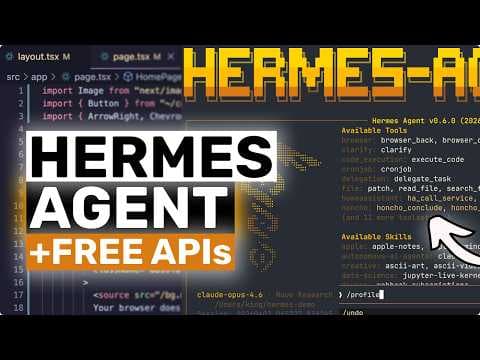
Hermes Agent: локальний AI-агент як заміна OpenClaw — огляд
AICodeKing представив огляд Hermes Agent, open-source агента, що пропонує більш цілісний та практичний досвід у порівнянні з OpenClaw. Hermes Agent підтримує локальні моделі, численних провайдерів та крос-платформеність, що робить його привабливим рішенням для користувачів, які шукають гнучкий та конфіденційний AI-агент.
Ключові тези
- Hermes Agent пропонує більш цілісний та зручний досвід у порівнянні з OpenClaw.
- Він підтримує локальні моделі, OpenRouter та API-каталог NVIDIA, забезпечуючи гнучкість у виборі моделі та управлінні витратами.
- Hermes Agent надає пріоритет локальній роботі, з прозорою конфігурацією та без збору телеметрії.
Використайте Hermes Agent для створення локальних AI-асистентів, які працюють з вашими даними без необхідності передачі їх у хмару. Адаптуйте агент для автоматизації рутинних задач, таких як обробка документів або генерація коду.
Автор підкреслює простоту переходу з OpenClaw, але не згадує про потенційні обмеження локальних моделей у порівнянні з потужними хмарними рішеннями. Важливо враховувати компроміс між вартістю та продуктивністю.
Опис відео▼
[music] Hi, welcome to another video. So in this one I want to talk about Hermes agent, why I think it is a better alternative to something like openclaw for a lot of people and why I have personally switched to it for a lot of my day-to-day agent work. Now this does not mean OpenClaw is bad. Openclaw is still a very capable project and if you already use it well then that is completely fine. But for me, Hermes Agent feels more complete, more practical, and honestly, just easier to live with on a daily basis. So, what is Hermes Agent? Hermes Agent is an open-source agent by Nouse Research that can run in your terminal, use tools, browse, execute code, connect to messaging apps, manage memory, create skills, work with MCP servers, and even do voice. So, it is not just another chat interface. It is more like a full agent environment that you can use from your desktop and also from your phone. And that cross device part is one of the reasons I like it so much with Hermes. I can use it in the CLI when I'm doing real work, then connect it to something like Telegram and keep using the same agent workflow from anywhere. That is super useful. Now, why do I think it is a better alternative to something like OpenClaw? The biggest reason is that Hermes feels more cohesive. With OpenClaw, I often felt like I had to think a bit too much about the setup, the integrations, the provider path, the add-ons, and how I wanted the overall workflow to behave. Hermes still gives you lots of control, but the experience feels cleaner. You have a proper setup flow, a proper model picker, built-in tool configuration, local memory, skills, messaging, voice delegation, work tree isolation, and context compression that tries to keep long sessions from falling apart. So for me it feels less like a pile of agent features and more like a productized open- source agent stack which is really good. The second reason is model flexibility. This is a really big deal for sure. Hermes works with open router with provider login like noose and codecs with open AI compatible endpoints and with local models through something like so. So if you want paid APIs you can do that. If you want cheap APIs you can do that too. And if you want to go fully local and basically use it for free after the hardware cost, you can do that as well. That makes it much easier to recommend, especially to students and people who do not want to burn money on subscriptions and API bills. The third reason is that Hermes is genuinely local first in a very practical way. Its config lives in your home folder and you can see things like the config file, the memories folder, the skills folder, the cron folder and the O file. though you can actually inspect what is happening. According to the Hermes FAQ, it also does not collect telemetry or usage analytics. I like this a lot because if I'm using an agent for real work, I want that level of control. And the fourth reason is that it has a better day-to-day workflow for how I use agents. It has memory for fax, skills for reusable procedures, MCP support for external tools, a gateway for messaging platforms, automatic context compression for long chats, budget warnings when the agent is burning too many steps, and even get work tree isolation so you can run agents on repos without making a mess. That is the kind of stuff that actually matters when you use these tools every single day. So, personally, I have switched a lot of my workflow to Hermes agent. Now, let's do a full walkthrough of how to use it. The first thing is installation. The easiest way is to use the official install script from the Hermes docs. I will put that exact command on the screen. If you want the simple Python route, you can also just run pip install Hermes agent. If you know that you want extra features, there are add-ons as well. So, if you want messaging integrations like Telegram, Discord, Slack, WhatsApp, Signal, email, or Home Assistant, install the Messaging Extra. If you want voice features, install the voice extra. And if you want MCP server support, install the MCP extra. I will put those commands on the screen as well. Once it is installed, just run Hermes setup. Or if you want to do it in smaller steps, run Hermes model and Hermes tools. Hermes setup is the full wizard. Hermes model is where you pick the model provider and the model itself. Hermes tools is where you decide which tools are enabled. So this part is actually very straightforward. After that, run Hermes. That opens the main CLI. And this is where the actual agent lives. Now, the first thing I recommend doing is asking it what tools are available, what it can do in the current session, and what model it is using. This gives you a quick sanity check that everything is wired properly. If you close the session and want to come back later, you can resume the last one with Hermes- continue, which is super useful. There's also Hermes Doctor if something is broken, Hermes update if you want the newest version and Hermes gateway if you want to expose the agent to messaging platforms. So that is the basic CLI flow. Now let me explain the parts that matter most. First, memory. Hermes stores persistent memory in its Hermes folder. The useful way to think about this is very simple. Memory is for facts. So if you tell Hermes your preferences, your machine setup, your project habits, your coding standards or recurring details about how you work, that stuff can live there and keep helping later. Then there are skills. Skills are different. Skills are not facts. Skills are procedures. So if you want to plug it into GitHub, file systems, browsers, databases, or whatever other MCP compatible tools you have, you can extend it that way. The configuration for that lives in the Hermes config file. So again, it is transparent and inspectable. Then there is context handling. This is something many agents are terrible at. Hermes has automatic context compression, which means when a chat gets too long, it can summarize older parts instead of just letting the session degrade into nonsense. It also has budget warnings, so when the agent is spending too many steps on a task, it gets warned that it is running out of room. I think this is pretty smart because it helps the agent actually finish the task instead of wandering forever. Now, if you work on code, there's another really nice feature which is work tree isolation. You can enable work trees in config or launch it in workree mode and then each session gets its own isolated git work tree. So, if you want Hermes working on a repo, especially with multiple parallel tasks or sub aents, it does not have to stomp all over your main checkout. This is a really good feature for sure. And yes, Hermes also supports delegation, which means you can have sub agents handle smaller tasks while the main agent focuses on the bigger thing. So for coding, research and larger workflows, this is quite great. Now let's come to the messaging side because this is another area where Hermes feels really strong. If you run Hermes gateway, you can connect it to platforms like Telegram and use the same agent from your phone. Telegram support in the docs also mentions text, voice, images, and file attachments, which is super cool. So, if you're away from your PC and still want to ask the agent to do something, check something, summarize something, or continue a thread, you can do that. And if you want voice, Hermes has a voice mode, too. So, if you like more natural interaction, that option is there as well. Now, let me show you the three free or almost free ways I think most people should care about. The first one is Open Router. This is probably the easiest cloud path if you want to keep costs low. Open router has a free router called open router/free and it also has model variants with the colon free suffix. So for testing Hermes this is amazing. You create an open router API key. Then in Hermes you choose open router as the provider. Paste the key and pick a free model or the free router. I will show the exact flow on screen. The nice part here is that you can start using Hermes without going straight into expensive APIs. The downside obviously is that free models and free routing can be rate limited. availability can change and performance is not always as consistent as paid model. So I would use this for testing student projects, casual usage and lower stakes tasks, but overall it is a really good option for sure. The second one is Ed Advidia Nims and the NVIDIA API catalog. NVIDIA has an OpenAI compatible endpoint for its hosted model catalog and if you join the NVIDIA developer program, you can get free credits to try the APIs. So, this is another very good path if you want decent cloud models without immediately paying out of pocket. The basic setup is simple. You get your NVIDIA API key, set the base URL to integrate api.envidia.com/v1, and then set your model to whichever hosted model you want to use. I will put the exact endpoint and some example model names on the screen. So, from Hermes perspective, this is just another OpenAI compatible endpoint. That is what makes Hermes really nice. It does not force you into only one ecosystem. If something speaks the OpenAI style API, there is a very good chance you can wire it in. Now, the third option is Alama and this is the one I like the most. If you have decent local hardware, Alama exposes an OpenAI compatible endpoint locally and Hermes can talk to that directly. So, if you want a fully local agent setup, this is the path. First, install Alama, then pull a model. For example, you can pull GLM4, QN, Llama, or another tool capable local model that you already have running through a Lama. You can just swap the model name accordingly. The important part is not the exact brand name. The important part is that the model should be decent at instruction following and preferably decent at tool calling because that makes a huge difference for agent performance. Alma officially supports OpenAI style tool use as well, which is great. But do keep in mind that not every local model will feel equally good as an agent. Some are much better at using tools than others. So if a model feels dumb, that may be the model, not Hermes. And this is where Hermes really shines again. You can start with Open Router Free if you want zero hassle. Then you can try Nvidia if you want some better hosted options through a free credit route. And if you want maximum privacy and zero ongoing API spend, you can move to Alama. That flexibility is honestly chef's kiss. Now, how would I actually recommend using Hermes day-to-day? If you are brand new, start with open router free just to get the agent working. Use Hermes model, pick open router, choose a free model, and spend a day understanding the CLI, the tools, and the memory behavior. Once you like it, either move to a better hosted model or point it to Alama if your machine can handle it. If you work on repos, enable workree mode so the agent stays isolated. If you do repeated workflows, turn them into skills. If you want access from your phone, set up Hermes gateway and connect Telegram. And if you use outside tools like GitHub or browser tools or databases, add MCP servers. So the agent becomes much more useful. So that is the practical path I would recommend. And this is basically why I say Hermes agent is at least right now a better alternative to something like OpenClaw for many people. It is not because OpenClaw cannot do interesting things. It definitely can. is because Hermes feels more polished, more flexible with providers, more practical for long-term usage and easier to you to use across desktop, mobile, local models and cheap APIs. For me, it solves the actual daily problems better. And that is why I have switched to it for a lot of my own workflow. If you ask me, this is one of the most interesting open-source agent setups out there right now. It is open. It is flexible. It works with cheap and free options. And it gives you an actual path from beginner testing to serious daily usage. So, this is great for sure. If you want, I can also make a separate video later where I show a full Hermes setup with Telegram, MCP, and local models only because that would be a really good stack as well. Overall, it's pretty cool. Anyway, let me know your thoughts in the comments. If you like this video, consider donating [music] through the super thanks option or becoming a member by clicking the join button. Also, give this video [music] a thumbs up and subscribe to my channel. I'll see you in the next one. Until then, bye. >> [bell]
Ще з цього каналу
UNLIMITED FREE MiniMax M2.7 + Hermes,OpenCode,Claude Code: This is THE BEST UNLIMITED FREE AI Coder!
3 місяці тому
Multica: This OPENSOURCE GUI CONVERTS AI Coding Agents into TEAMMATES!
3 місяці тому
Karpathy-Skill + Claude Code,OpenCode: This SIMPLE ONE-FILE SKILL Makes YOUR AI CODER WAY BETTER!
3 місяці тому
Hermes V0.8 (New Upgrades) + New Free APIs & Local Models: LOL OPENCLAW! This is JUST SO BETTER NOW!
3 місяці тому