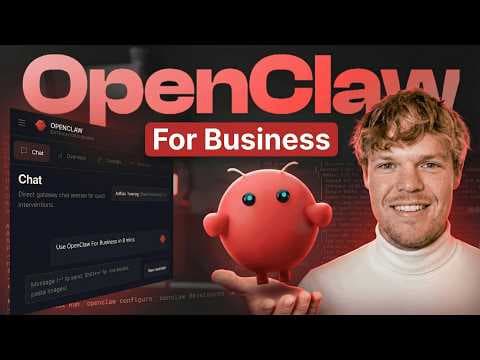
OpenClaw в один клік: автоматизація бізнес-процесів стала доступнішою
Відео показує, як розгорнути OpenClaw, AI-агента, в один клік за допомогою Hostinger, що дозволяє компаніям автоматизувати завдання та отримувати аналітику даних. Це спрощує інтеграцію ШІ та забезпечує прозорість витрат на використання ШІ.
Ключові тези
- Розгортання OpenClaw в один клік через Hostinger спрощує налаштування.
- Вбудована інтеграція забезпечує прозорий облік витрат на використання ШІ.
- OpenClaw може аналізувати дані з різних джерел, таких як Google Analytics і Stripe.
Utilize OpenClaw to automate data analysis and reporting tasks. Integrate OpenClaw with various data sources to gain comprehensive business insights.
The video highlights the importance of cost transparency in AI usage, addressing a common concern among businesses hesitant to adopt AI solutions due to unpredictable expenses.
Опис відео▼
Let me show you probably one of the most simplest, easiest way to get OpenClaw running and then have it do a real task. As you and me both know, when setting up OpenClaw, it can get very complex very fast. So, I'm going to show you how to do it in one click, but on top of that, show you this really cool native integration that allows us to create anything we'd want in software via Hostinger. Therefore, if you want the best and easiest way to set up OpenClaw, let's jump in. Welcome back, y'all. Today's video is sponsored by Hostinger and I wanted to pick up on this collaboration because of the fact that the one thing that I see has the highest demand in all my videos is Corbin. How do I use OpenClaw in a secure way? But more importantly, how do I use OpenClaw where it is very clear to me how much AI usage cost is associated with it, the infrastructure associated with it, and Hostinger just released this one-click deployment. This is no joke, y'all. And it's extremely cost effective. So, I'll make sure I leave this in the description down below. Let's get started. So, I'm going to go ahead and choose my plan here. I'm going to choose $5.99. So, first off, I would check them out right now as they are running a huge deal right now. I mean, this is 2 years at the cost of $149. Next, which is really cool, and what comes out of the box here is just straight ready to use AI via Chad GBT, Claude, and all other models. You don't have to do any custom API keys. And as you know, the cost can get a little crazy when it comes to using something like Opus, but here they keep it siloed and keep it clear when it comes to the associated cost. Therefore, we can select this and on top of that instant web search. This is just important for OpenCloud to have as it gives you up-to-date information when searching the internet. It's just like you like when you need to Google something, let openclaw Google. Let's go and check out and see how simple this is. And this is how handsoff this entire process is. You know with absolute certainty that the way setting up is secure and it's literally just watching a loading bar load in your little claw. I want my claw. I bring this up because I know a lot of you were worried about using this kind of tech because it's very wild west when you're giving the ability for an autonomous agent to just do actions. But what is cool is that Hostinger has been in the industry for quite some time and they know how to set up cloud security so that when you create something via this one-click deployment, you know it's secure. This is big. This is massive. And what I really like about Hostinger here is it really makes it clear on the cost associated with OpenClaw. I've set up hope and claw and other services and I found myself just getting charged crazy amounts via the API key and I had no clarity of where the cost was being narrowed down to but let's set it up. So next within the onboarding flow we can actually start communicating with our nice little claw and what I would suggest you to do is download WhatsApp Telegram and simply hit select. So let's go ahead and do that. Go to open up Telegram on your phone or your computer. You're going to search up botfather. So I already have a chat here bot father. I'm going to hit open launch and then right here I'm going to hit create new bot. Pretty cool. And we're going to give it a name. I'm going to call mine webdev fun_bot. We have to finish a bot. And then we're going to hit create bot. So next we can simply copy this and you're going to paste it here. Now alternatively this flow might have been on your phone, but that's simply just texting back and forth and doing the same steps. You'll copy it and then paste it here in this input. So I'm going to paste it and then hit finish setup. And it's that simple, y'all. Now we're connected and now I can communicate with this claw and it is firing it up. So we're in. But real quickly so you can see how the telegram works. We can just come back here hit start and then we can say something like hello and this is going to be communicating directly with our openclaw which is in a virtual machine hosted by hostinger. There you go. Look it. Hi Corbin. I'm online in openclaw. Now let's go ahead and create a personality for this open claw. We got like a little intro questions here but we're going to jump back over to the web UI. So coming back to our web UI here. We've set up our telegram. Looks all good. I want to do a real business use case here where essentially I'm going to take the data that's associated with Google Analytics 4 and this tech news website and have OpenClaw do analysis on it on a Chrome schedule. What is super cool about the steps and processes I'm about to show you now though is that this applies to anything. So this is G4, but do you use Stripe? Get the Stripe data. And what you'll notice is that we're going to set up a custom dashboard here and be able to do whatever we want with it. Let's do it. So to start off here, I'm going to switch to the model of Opus 4.6. By the time you're watching this video, it could be a higher level model. The point is that switch to the AI model that you love for these kind of processes. Next, we're going to go and proceed with this. Today, I want to set it up so I can give you read access to my G4 data, the Google Analytics, and then create a static HTML file for me to look at when the data and you give insights. Don't over complicate it. What is a static HTML file? It's going to be essentially a website that we can access, look at the data, and proceed. I'm going to hit enter. And here we go. We got the step-by-step guide here. It's going to identify an overview of how to do it. And what is super cool about OpenClaw is that we'll walk through the entire process hold your hand. So I can simply say, how do I do step one, hit enter, and we're going to have this back and forth here. So here we go. We're going to go to our Google Cloud here. We're going to come here to the top left and go to AM admin. Come down here to the tab here of service accounts. I'm going to simply come up here to create new service account. It wants us to give the name OpenCloud G4 reader. Let's do it. Create and continue. Simply hit continue again and hit done. With that done, you're going to simply copy it to your clipboard and bring it over here. Hit enter. So, once we create the email, we're going to simply click this link here and enable the API. So, right here, Google Analytics data API enable. And once we enable that, we're going to come back to Google Analytics. You're going to want to come down here to the bottom left of admin. We're going to hit property access management. We're going to add a new user here, add user, and put that email address we just created. Don't need to notify them. And because of the fact that we want to give access to all that good good data, make sure we give it the correct permission. So we can give it marketer here. Alternatively, you can go with the lowest permission here of viewer. Hit add. Don't over complicate it y'all. The way I knew to do those steps and exactly in that order is due to the fact that it is right here outlined by our open claw. Next, it wants the property ID. So it says go to property details and copy the property ID. So I'm going to do property ID and proceed. So it's referencing a JSON file which I did not download. So I'm going to ask where that's at. I'm going to say where can I download this JSON file? I forgot to get it. But this is the process y. You can go back and forth your little claw here and it's very very helpful in directing you in the correct way. So this is back in the AM. It wanted me to go to keys, add key, create new key, JSON. Great. With that done, I'm going to go and paste it in here. This is highrisk variables, so don't share them with anyone, but simply paste that JSON file here and then it'll make the connection. And we're building our G84 dashboard. The steps and processes you just witnessed, though, can really apply to a bunch of different things, y'all. I personally use this in another context where I would take Google Analytic data, connect it with Stripe data, and then find different types of insights based off this. This is very powerful, y'all. Using something like Open Claw, it becomes your analytic expert where I don't know about you, but personally, I don't like using and making custom little reports and dealing with the whole learning curve there. When alternatively, we can have something like Open Claw congest all this information, make it super digestible. So, we have our dashboard, the analytics dashboard is ready. A couple things, y'all. First thing, you'll already notice that it's just giving me really cool insights right off the bat, such as like the last 30 days compared to the previous. There's an uptick of 37% in users, but also the more intricate things like engagement rates, average session time. What's really cool about using Open Claw, especially for data aggregation like this, is is you get that really deep intel that would have required you to just really look through a bunch of spreadsheets that you don't got time for. Let's check out the dashboard. And here it is. This is the dashboard that was created. We got, you know, our nice little pie chart here. We got device categories, top pages, everything of this nature. Now, some of y'all might be like, Corby, but this looks very similar to G4. This is just one piece of the puzzle. In theory, this is completely customizable. And on top of that, we can add an extra layer here where that happens. We get very specific key insights based off the data. So, for me personally, one thing that I can notate here is over 40% of my traffic comes from organic search. So, whatever I'm doing for SEO seems to be working well for Techniff. Expand your brand here. As you know, more data is typically good. So, pull in data from multiple sources and start creating a full picture of your business. That just about does it though. So, make sure you leave a like. It's completely free. Check out the link in the description down below. This is very fast, very secure deployment of the most beautiful of the beautiful Open Claws. And I'll see you in the next. Did Corbin quite literally just show me how to do oneclick deployment for an open claw. Then the open claw took real data and then gave me real data insights type of