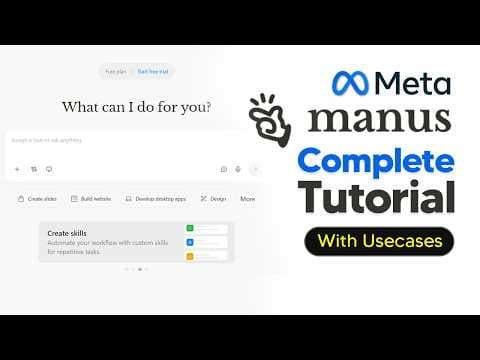
Огляд Manus AI: як використовувати AI-агента для автоматизації задач
Відео демонструє можливості Manus AI, агента для автоматизації задач: пошук відео, планування, створення документів та слайдів. Manus AI обіцяє економію часу та підвищення ефективності завдяки автоматизації рутинних задач та кастомізації результатів.
Ключові тези
- Manus AI автоматизує пошук відеокліпів за конкретними мітками часу.
- Планує задачі за розкладом, наприклад, щоденний збір новин про AI.
- Створює документи та презентації з використанням кастомних навичок і шаблонів.
Зручніше за Zapier, бо не потребує інтеграцій — всередині один інструмент.
Важливо враховувати, що ефективність Manus AI залежить від якості промптів та налаштувань. Для досягнення оптимальних результатів потрібне розуміння можливостей інструменту та специфіки поставлених задач.
Опис відео▼
Samatis is one of the best AI agents in the world that you can use to automate tasks, save time, and get real things done. So, let's talk about it. So, let me show you guys one of the first use cases, which is essentially being a really good AI agent that can do specific things that only a human could do. So, in this task, I actually want Manis to be able to find a specific clip with a specific timestamp talking about something very specific. Now, in this example, I'm talking about Deis Sares talking about the new test for AGI, the Einstein one, and if it can include a time stamp. Now, what makes this really good is because if you pose this question to any other AI tool, unfortunately, it's just going to use APIs and scrape together a bunch of, you know, recent web results to get you that result. And whilst in many cases that is okay, Manis takes things one step further. You can see here it boots up its own computer. It then actually browses the web just like a human employee would. and then is able to actually watch content and then find out the exact information for you. Here you can see Manis is going to be browsing the web and actually searching for the clip just like I would. And this actually saves me time because whilst Manis is actually doing this, I can actually then go ahead click this button and then I can actually start a new task. And that is what makes Manis so good is because you can actually run multiple tasks concurrently. So if you need to get a lot of work done, that is something to always bear in mind. And here you can see Manis is actually watching the interview, which is pretty incredible when you figure out that this is something that I would have to do manually scrubbing through many hours of footage just to find that exact specific clip. And so we can actually see that it actually manages to find this clip. So it talks about the fact that Jabes proposes a true test for HI giving me the actual explanation. And not only that, it actually gives me the first time stamp where he actually mentions this. And so you can see here that it actually manages to watch the video, give me the exact link, the exact timestamp, and also even gives me a clip to the YouTube short that explains it. And this is why I say this is super impressive because whilst I'm off writing a script affecting it, I can actually have an AI agent that goes out and finds super specific information for me. And that's why I say this agent is super useful. Now, another thing that is super useful in Manis is of course going to be the schedule tasks. Now I think that this is something that is truly remarkable because unlike chatbt and claude, you can schedule your tasks at a specific time that allows you to get more work done efficiently. Let me show you guys my use case where this is going to be super amazing. So as you guys know, I'm constantly spending time looking at all the AI news and basically filtering out the bad from the good. And of course, I need to do this every single day. So of course, I do this literally every morning. I wake up, I make sure I check every social app, every social feed, and get a grip for where AI is heading today. But with Manis, this actually automates that process. So instead of scrolling through every single website, social media feed that often would take me around 2 hours, I can actually have Manis do that for me. So I can say, so I've said, set up a schedule task that occurs at 9:00 a.m. every day UK time that searches Reddit, X, and Hacker News for the top AI news. Source it with a list on the most impactful stories to least. And so now, if I put this in, you can see Mannis says, "Got it. I'll set up a daily schedule task at the at 9:00 a.m. searches Reddit, hacking news, and X for the top 10 news AI stories and ranking them from most least impactful, of course, to the most impactful. And it says, "Let me build and test this first." So, right now, Manis' computer is going to spin up like we saw again. And it's going to, of course, first build the automation. And so, you can see here it gives me this data brief. Now, what's really cool about this is that it actually says, "Turn this into a live updating dashboard for daily briefings," which is actually even cooler. So, I'm going to go ahead and do that. And now Manus is once again going to go ahead and do the task. So you can see here Manis actually managed to build this for me. So it actually gives me these stories. It's going to update every single day. And I literally just log in and you can see it's going to literally give me this. Now remember guys, this was made in around 5 to 10 minutes with a few prompts. And now I have my own personal command center that is actually going to help me out a ton. So rather than, you know, viewing all different websites, scrolling around, which I probably will still do because I of course enjoy AI, this is just something that definitely helps me out a ton. And so I actually asked it to update the sourcing. And I can see it sources from Google and Reddit. So you see right here that now I'm actually getting news from a broader source. So every day at 9:00 a.m. you can see it's actually going to show me exactly where those sources are. And you can see it has a breakdown, the briefing date, and this literally updates every single day. So that's why I say this is something that not only can do tasks for you, but can do those on a schedule, which means if there's something that you routinely do, of course, everyone has different tasks. For me, this was just a clear example of something that I So the next thing we're going to look at is document creation. So Manis can actually create and design many different forms of documents, but for me personally, one of the documents that I love is, of course, Word documents because it allows me to get a vast amount of information that helps me with scripting my videos. Now, of course, this could be absolutely anything. Maybe you need a research report. Maybe you need a document that is researching the houses in your area or maybe forecasting things in your different business. But for me, this is how I use Manis. So, I said, write a script for a video on Andre Karpathy's auto research. Explain why it matters, what it is, no complex charging and site sources. Include references at the end that I can see. And of course, here I can, you know, maybe even say here are some specific points. And the reason you actually probably want to have a better prompt is because of course the more you direct Manis the more it's actually going to become more accurate. So I could say add these points in the script what it means for AGI and what it means for Nvidia. Now of course what's really cool about this is that Manis is going to go out it's going to do all of that and then it's going to give me a final document. So first you can see the task progress. It's firstly going to research the plan then it's going to write and you know structure the script and then of course it's going to deliver that final script. And of course, remember guys, you can always view Manis' computer if you like to see what it's doing. And I just think that that level of transparency is really cool because if Manis ever makes a mistake or pulls, you know, information from a website that you don't like, of course, you'll be able to see it. And then you can see it actually manages to give me the script. So you can see here it gives me a entire script overview, the introduction, how it works, what it means for AGI, what it means for Nvidia, and it gives me a conclusion. Of course, I could have specified a different length. I could have specified a different word count. And you can see here when I open this, I can literally just download this, export this to Word, PDF, markdown, save this exactly to my Google Drive. I can save it immediately to One Drive. So, it's got all these integrations, which is super useful. And of course, it's got literally all of these sources at the end. So, you can literally see here why this is such a useful tool, especially for anyone who's in content creation. Even if you're just doing standard work, this just is a incredible time-saving tool that I think most people are missing out on. Now, another thing that's really cool about Manis is that Manis actually does have skills. So, the reason that this is really important and most people don't understand just how important skills are is because skills are a new thing that I guess you could say most people haven't grasped just how important they are. So, what skills are are basically I guess you could say it's like a custom GPT bundled into a Word document that teaches the AI how to act when it's going to perform a specific output. So, if you go to manage skills here, you can see that you have a bunch of different skills that are going to be useful when you're doing specific things. But the main thing that skills does, and this is why it enables such a deep level of content creation or whatever business workflow that you might be doing, is because it essentially allows you to perform your work knowing that it's going to do that in the right way. So, previously you guys saw me make a video script and I had to write out how I wanted that video script, of course, which sources to site. But one thing that I could do is I could add a custom skill. So, what I could do is I could build a skill with manners. So, let me show you guys how I'm actually going to create a skill that allows me to turn my long form content into short form content. So, what I'm going to do is I'm going to say, you know, put in this prompt and of course, it's going to prompt me with two questions. So, of course, first it's actually going to read the guide. I've said that this skill should be the AI short form script. It helps me turn news into short form content scripts and it focuses on engaging non-complex jargon for nontechnical audiences. So now you can see manis is actually going to think and it's going to give us some more details and this is where we actually get specific and this is where the value of the skill creation with tools like manice starts to show because here you can see that I can now change this for specific platform. So let's for example I'm going to say this for YouTube shorts. YouTube shorts is different to Tik Tok in terms of how you actually want to format that. And I'm going to say roughly the length is you know 60 seconds. The tone is you know casual and then of course the structure. I'm going to say the structure is going to be hook first expiration later with a CTA to subscribe to the AI grid YouTube channel. And of course, you can see here it says input and it says the input will be existing video scripts. And so the reason that you would want a skill guys is because every time you want to create a specific script for YouTube shorts, you'd call upon this specific skill that already has all of this information built in and you wouldn't need to prompt it all again. So essentially, you have a bunch of different skills that Manis can then call on and then of course do whatever task it is that you need. And so now you can see the skill is actually being completed and it actually shows me the entire details of the skill. And then I can literally just add this to my arsenal. And you guys can see why Manis is such a powerful tool being used by the advanced AI power users. And so now anytime I input a news article, a URL or an existing video script, it's going to immediately understand exactly what to do. I won't need to explain it again. It's going to know the exact CTA. So, let's actually demonstrate the new short form skill that we literally just created. So, you can see here I've said to create a video script covering Yinghan's new startup. Now, I could actually add as a natural language prompt, use the new skill that we just created, the short form one. But what's actually better is if you click here, use skills, then you click this, then once you click enter, it's actually going to know the exact skill to call upon for that specific task. This is super important because it allows you to understand the context of what exactly it is that you want to create. So, it's going to research the specific topic, then of course use a skill and finally give me an output. And so, yeah, you can see that Manis did everything. It read the AI short form skill. It loaded up that skill. It then researched Janakhan's new startup and then actually wrote the perfect script. And remember guys, this is the kind of stuff that would take me a really long time to do. And so, it's really useful to have a set of skills that you can call upon if you have tasks that you do quite repeatedly. All of us have different things that we do on a day-to-day basis and that is what makes Manis so valuable. Now, the last thing that I think Manis does exceptionally well is its ability to create slides. So, if we click create slides here, initially you're going to see a bunch of different sampled prompts and then you'll see if you scroll down further a bunch of different templates. Now, what makes this really cool is that Manis has this nano banana integration, allowing you to create your own slides in your own format that go beyond the default power presentation look, which is often pretty boring. So, you can see here if you want to look at some of the existing styles, for example, this one, I think this one is really, really cool. This whiteboard style prompt, we can actually use this template. And then what we can do is we can then generate imagebased slides with Nano Banana Pro. Remember guys, Mannis saves you time here. If we aren't going to use this tool, we'd have to manually do this inside of Gemini. So, let's actually say create a slide showcasing the rise of chat GBT since its inception. And then we're going to go ahead and click send. Now, remember guys, what's cool about this is that this isn't just an image generation tool that's hooked up. What it's actually doing is multi-agentic workflow, which actually means that it's going to first research the data. So, it pulls that from existing up-to-date information and then it's going to then create the final image. Understand that this is a key and vital step to providing your presentation with the most accurate and up-to-date information so that you actually have something useful and updated with real time. And so, here you can see that it actually delivers the full slide. So, if we click this, you can see it's delivered absolutely everything. We can literally just walk through this. And this looks really, really cool. I don't know what it is about this whiteboard format that just makes it look so amazing. And of course, like I said, guys, you can do this with literally any style that you want. And you want to know the best thing about this? This didn't actually take as long as you would think because since it's multiple agents working in parallel, it actually generated all of the images side by side. So, this hardly took any time, which is just absolutely crazy. And something that I really just want to add that I don't know why any other image generation app does not have this, and this is why I genuinely use Manis. Let's say, for example, you're in the presentation and you actually want to change some of the text. You can actually do that, guys. So, let's say, for example, you know, there's some text here. This says research preview. You can literally click that text and edit that text. Now, you might think that this is not that big of a deal, but trust me, it is because every image is auto analyzed and then a text box pops up. And the reason that this is so useful is because you don't have to hover over the specific word. It literally just gets it. So, I can literally change this from 900 million users. I can. So I can literally change this from 100 million users to say beats every other app. And then I can literally save that and click apply. And so here you can see that I can literally edit the text because it's edited. And this is once again something that just saves a vast amount of time. Of course, if you want to present the presentation, you can literally do presenter view, start from beginning, all that good stuff. This is genuinely the all-in-one tool. So hopefully this guide showed you how you can get the most out of Manis covering all of the most essential features. And if you have any questions or any comments, I'll actually personally respond. And thank you to Manis for sponsoring today's video.