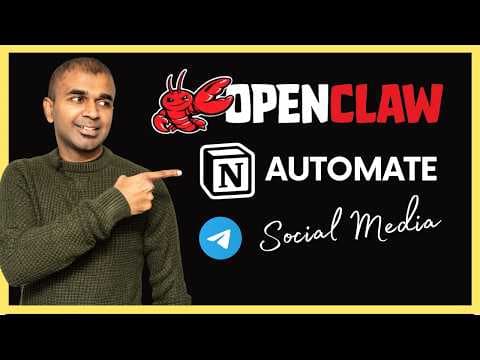
Как CEO може автоматизувати соцмережі за хвилину з OpenClaw та AbacusClaw
Відео демонструє, як за хвилину настроювати управляємий OpenClaw (AbacusClaw) для зв’язку з Telegram та Notion. Після налаштування бот у Telegram може автоматично створювати пости для X, LinkedIn та YouTube на основі вказаного URL та зберігати їх у Notion. Це дозволяє швидко автоматизувати контент‑маркетинг без глибоких технічних навичок.
Ключові тези
- Керуємий OpenClaw через AbacusClaw скорочує час налаштування з годин до хвилин.
- Інтеграція Telegram‑бота дозволяє запускати генерацію AI‑постів для соцмереж.
- Зберігання у Notion автоматично зберігає створений контент для легкого перегляду та публікації.
🟢 Можливості — швидко запускати кампании, тестувати різні формули постів, економія часу на копірайтинг. 🔴 Загрози — залежність від зовнішнього сервісу, ризик генерації неточності або нерелевантного контенту, потреба у пост‑обробці та можливі витрати на преміум‑план при збільшенні обсягу.
Хоча інструмент позиціонується як «AI‑powered», у демонстрації видно, що генерація постів базується на простих алгоритмах підсумування та перефразування, а не на великих генеративних моделях, що обмежує креативність та вимагає ручної перевірки перед публікацією.
Опис відео▼
Open claw the most powerful tool the top trending in GitHub but it's very hard to configure and run it yourself. So we need a managed version. Open claw setup within a minute configured telegram and notion. Then I asked from telegram to create x and YouTube post. Then it created the post and saved that in my notion account. X post LinkedIn post and then YouTube. All done right from my telegram. And I'm going to take you through step by step how you can configure this open claw integrate with telegram integrate with notion and finally configure it in a way that whatever topic you sent to your telegram bot it automatically creates social media posts for you. That's exactly what we're going to see today. Let's get started. Configuring open claw is tedious task taking hours to configure but we have abacus claw deploy open claw in seconds secure infrastructure readyto-use skills work for you 24/7 and you can get started with just $10 per month integrate with your WhatsApp telegram and more with memory and personality and it includes many other features. I'll provide the link in the description for you to sign up and thanks to abacusai for sponsoring this video. Once after you sign into abacusai, click the claw icon at the top. There you got various options. You can connect it to your WhatsApp personal telegram assistant and much more. For now, we're going to focus on personal telegram assistant. So here you can see the options. This opens the open clause own computer and it has complete control over it. You can restart this instance by clicking this reset computer icon if at all you face any issues. Next, it has its own terminal which we also have access. So we know what it's trying to do and how it's trying to do. Then we got the dashboard automatically set up. We don't need to do anything. This is open close own dashboard and it works same as normal open close dashboard. Also, you can open this OpenCloud dashboard separately by clicking this icon at the top right hand corner. And here's the full dashboard. Next, we got the file browser where you can download the files or browse the files what Open Claw is using. So, first I'm going to set up Telegram. To configure Telegram, at the top you got the Telegram icon. So, configure Telegram. Clicking on that. Here it is telling me the list of steps. Open Telegram, message bot further, create a new bot and get the token. So that's exactly what we're going to do. First open botfather. So here is bot father in my telegram account / newbot giving a bot name as you can see here with the username and finally I got the token here. So just copying the token. So now coming to the chat I'm just pasting that here as simple as that. So we don't need to know complicated steps. We can just chat with this interface and configure telegram. Now you can see it went through a few steps and Telegram is now configured and the gateway is running. This is really nice. Now next we need to send a message from the bot. Let's go back to Telegram. So here is your bot which you have just created. So clicking on that and clicking start. Now I've got the pairing code. So I just need to copy this pairing code and then paste it here. So this chat is same as open close chat. So it says in sync. So you can either copy and paste it here or in the chat on the right hand side that is open close own chat. Now you can see approved telegram sender. Now I can send a message from my bot. Let's try that. I'm in my bot going to say hi how are you? Now the bot is typing at the top as you can see here and here is the response. Step number one configuring telegram bot is completed. Step number two we need to integrate that with notion. This is a powerful tool to organize things. take down notes and much more. So we going to integrate our open claw that is managed version abacus claw with this notion. First log to notion. So in the private click plus and then click the templates. From here you can choose whatever templates you want. But for my purpose I've created a document hub social media planner and the task list just for agents to manage. So in the settings click connections and then develop and manage integrations. So here create a new integration. I'm going to say abacus clo associate workspace and then create. So once after creating that you need to provide access to the tabs clicking on connect access tab edit access and you got document hub social media planner and task and click save. Now step number two of integrating notion is completed. Now I need to go to configuration copy the internal integration secret. So copy this and from here forward I can use my telegram account to configure notion. So at the bottom I'm going here typing notion configure and then entering my token and then clicking enter. Now abacus claw is automatically configured this for me. So here I'm going to say yes to store it in tools and then help me access notion. Now step number two is completed of integrating notion with a flow. Next let's give a proper task. So this is my website and I need a social media post for LinkedIn X and for YouTube. So copying the URL and then asking it here I need to create X LinkedIn and YouTube post create it for me and clicking enter. And now it can crawl the page and then create all these posts. So here it gave my ex or Twitter post. That is clear. Then I've got the LinkedIn post. Next I've got the YouTube description. Now I'm saying make sure to save it in notion. Then it's asking me the notion path and I'm copying the notion URL and it's saving that in notion. So I'm going to click that and confirm that. So here it is. Social media post for praising AI X post, LinkedIn post and YouTube description. That is really nice. Now I can keep on asking Telegram bot on whatever post I want to create and it can automatically create and save that in my notion document. As simple as that. Now you are able to integrate and automate all your social media post and it's just a matter of copying and pasting it on your social network. Do try and let me know in the comments below what you think about this. Considering you already like abacus glow. I also create another video about other abacus features which I'll put the link in here and I highly recommend for you to watch and I will see you
Ще з цього каналу
Claude Managed Agents Just Dropped – Here's What Changes
3 місяці тому
Create Unlimited OpenClaw Skills | Full Tutorial (Upstage Studio Skill)
3 місяці тому
OpenClaw Was Dangerous… Until NemoClaw Stepped In (OpenSource)
4 місяці тому
SkyClaw: Beyond OpenClaw, This Zero-Setup Cloud AI Agent Does Everything
4 місяці тому